Humanize AI Writing in Education – PenHuman & Microsoft Copilot Guide
AI writing is everywhere in education–from ChatGPT-drafted essays to Microsoft Word’s AI integration (the new Copilot) that can write paragraphs for you. For students, these nifty little things are both a blessing and a curse: they help you survive the grind, but AI detectors are not your pal. No wonder AI humanizer tools are a go-to solution for students and writers to make AI-generated text human and even undetectable[1]. In this post, we’ll talk about how PenHuman free AI text humanizer helps students humanize AI-generated text, fits 2024’s hottest AI tools like Copilot AI in Word, and tips for students on how to trick AI detectors (like GPTZero, Turnitin) without cheating.
AI Writing in Education: New Tools, New Challenges
Over the past year, AI writing has made its way onto campuses. Over 50% of students have used AI to compose an assignment, according to Turnitin, which analyzed 200+ million submissions[2]. ChatGPT and Microsoft's Copilot AI app can spit out an essay or report in seconds. Microsoft Word AI (through 365 Copilot) allows you to create a new draft from scratch in a fraction of the time[3]. This is a massive improvement for students with writer's block who want to breeze through their homework.
But teachers are fighting back with AI detectors. Turnitin and free apps like GPTZero analyze your paper to see if it was written by AI. Students are worried about being falsely accused of cheating after their essay sets off an AI plagiarism detector[4]. Unfortunately, AI-generated text contains lots of "robotic language" and predictable terms that AI detectors look for[5]. Even if you edit it yourself, it's really easy to leave in an "AI fingerprint." One study from the University of Chicago found that GPTZero only identified around half of AI-written answers after they were humanized[6]. The war is on between students using AI, instructors using AI to spot AI, and students using AI to hide AI!
AI text in education creates a paradox. With the rise of AI breakthroughs comes a new opportunity to help students write faster, but with it comes a new challenge for academic integrity. This is why AI humanizing is so vital. By making the text sound more human, you're able to safely experiment with AI to help you do work. Over the past year, AI writing has made its way onto campuses.
Bypassing AI Detectors: Why Humanizing AI Text Matters
So, how can you make sure your AI-assisted essay doesn't read like it was written by one? The answer is to use an AI humanizer to transform it into a more human style. An AI humanizer is an AI-powered rewrite tool that converts robotic AI writing into humanized writing.[7]. It varies sentence structure, applies a personal tone, and removes any obvious AI fingerprints so that the essay looks like it was written by a human.[7]. You're essentially using AI to humanize AI output, a very ironic but welcome solution.
It's not surprising that students are actively searching for an ai humanize text free solution to improve their writing. People are actually googling "gpt humanizer free" and "humanize ai text" when they're in need of a convincing ai humanizer for their ai-generated writing.[4]. That's why many new tools have sprung up on the market. Special tools like Rephrasy and Mask AI offer to "make ai writing undetectable" by rewriting AI writing. Walter Writes AI offer a humanizer and ai detector combo for rewriting AI content and instantly checking if it is humanized enough.[8]. Mask AI makes a bold claim that it's an "undetectable ai bypass."[9]. This shows a huge demand for bypassing AI detection.
However, some AI humanizers are of low quality and may not be used in ethical ways. It's very important to use an AI humanizer responsibly. As one guide said, using an AI humanizer isn't cheating; it's about improving your writing's tone, clarity, and engagement.[10]. You should treat humanizing AI text as a tool to help you edit your writing, not as a shortcut to plagiarize for free.[10]. The point is to help you use AI without getting detected by making a writing sample your own, not to help you cheat your teachers with a paper you didn't write. In the next section, we'll show you how a leading ai humanizer tool like PenHuman walks that tightrope.
PenHuman: A Free AI Text Humanizer & All-in-One Writing Tool
PenHuman is a full-service AI writing assistant made for the era of AI-assisted learning. PenHuman’s AI humanizer tool is part of a package that also includes an AI generator and an AI detector, all in one workspace[11]. In brief, PenHuman offers an AI generator, AI humanizer and AI detector in one workspace, so you can generate, humanize, and check your writing, all without switching between different tools[11]. The all-in-one capability is a big win for students. You can progress from basic AI-generated writing to a completed human-sounding essay in one workflow.
Crucially, PenHuman offers a free AI text humanizer (via a free plan with generous usage limits) – so you can humanize text using AI for free, and try advanced features later should you need them. The humanizer itself uses a language model, so it’s much more sophisticated than a paraphrasing tool. Whereas an old-school thesaurus tool might just rotate between a few synonyms, PenHuman changes up the pacing and sentence structure, uses more sophisticated vocabulary, and manages to avoid wooden “academic language” that sounds AI-generated[12]. So your writing retains the same message, but improves the flow and readability… as if you’d written it yourself from scratch.
Another win for students is that PenHuman comes with its own AI content detector. When you humanize your text, you can instantly check the results with its in-built AI detector. It’ll flag up any spots that still read as AI-generated, so you know exactly what needs to change before you turn your essay in. In other words, PenHuman can be used as an “AI safety net”: it helps you to write faster using an AI tool, humanize text and check AI-generated content, all using one workflow[13]. This means less essay-writing stress: you’re not having to alternate between ChatGPT, Quillbot and GPTZero in 3 separate browser tabs.
How PenHuman is Different: There are many tools to bypass the ai detector, and PenHuman has two main advantages: you're not just buying an AI humanizer, you're buying a full writing assistant. So if you are a student, you can generate a piece of content with AI (using the PenHuman generator or from another source), you then humanize the piece so that it appears 100% human, and then you self-verify using our AI Detector that your work will go through any third party AI Detector (i.e. your professor). And you get a generous free allowance with PenHuman's free trial.
Writing with Microsoft Word Copilot and PenHuman
One of the hottest trends right now is Microsoft Word’s AI powers. Microsoft 365 Copilot (aka Copilot AI) is now baked into Word, and it can help you go from a blank page to a full draft in a fraction of the time you usually take[3]. You can literally tell Copilot to “write an essay about climate change” and watch as it spits out a multi-paragraph draft. For time-crunched students, this is a magical workflow. Word is transformed into a writing assistant that can generate suggestions and even rewrite text.
But Copilot by itself is not a panacea. While Copilot can generate a decent rough draft, this draft may “look like AI.” The language may be a bit generic and exhibit odd phrasings. It also may not reflect your personal writing voice or the viewpoint your teacher wants. And Microsoft’s Copilot currently doesn’t offer AI detection checking. That’s where PenHuman serves as the ideal complement to Copilot.
Think of Copilot for Office as a good idea and text generator, and PenHuman as a good text rewriter. Here’s an example:
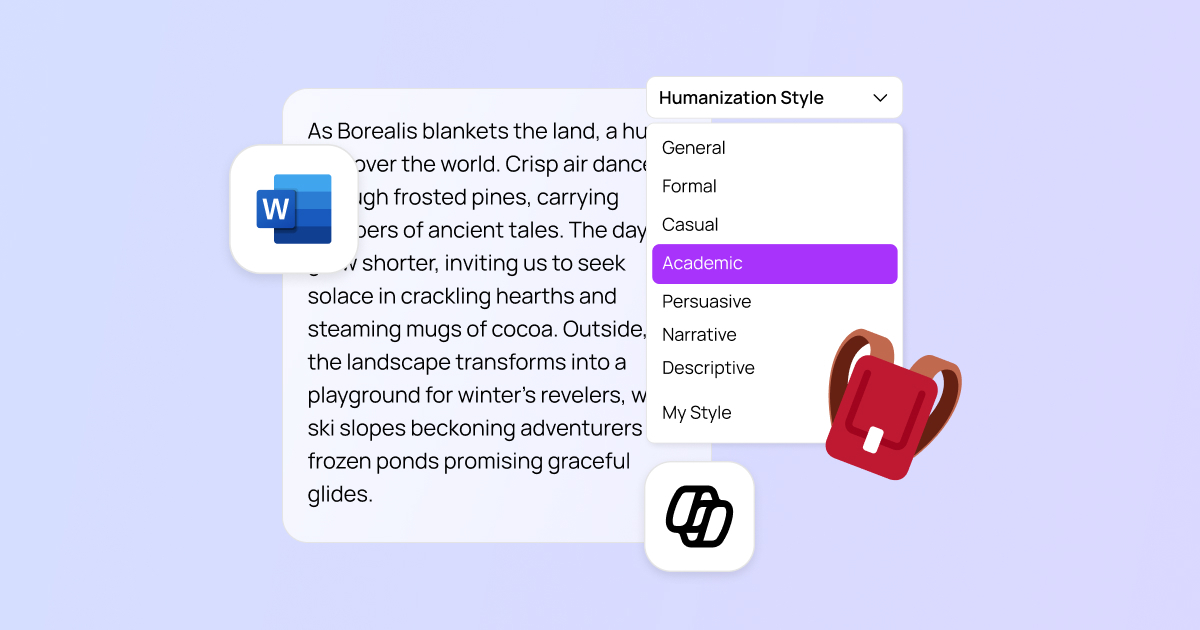
- Draft with Copilot, humanize with us: You use MS Copilot in your Word to overcome your writer’s block and write your essay or report fast. Next, you just paste this chatgpt generated text to PenHuman AI humanizer. And PenHuman rewrites your Copilot draft and make it human-like. It’s like an editor who brushes up text after you and makes it sound much more human. Thus, your text will read as if it was written by a human writer from scratch. However, you will save tons of time on writing this draft step.
- Look for AI Traits: After you humanized the text, you run PenHuman's own detector, to see if there are still any AI fingerprints. If PenHuman's detector tells you some of the text still looks AI-generated, you can either manually rewrite some of the text again, or have PenHuman humanize it again (maybe with a different tone). This makes you stay on the safe side. Even a really well-written paragraph by Copilot might trip a detector because of a sneaky pattern. Let PenHuman trip on it, before your professor does!
- Keep working in Word: Once you are happy with the PenHuman results, simply copy, paste your work into your Word document. This is a great opportunity to take advantage of all of the Word features (editing, spelling, etc…) and ask Copilot any questions you may have. Since your text is already humanized, getting Copilot feedback should not be your #1 priority. PenHuman already did all of the heavy lifting for you.
So to summarize, PenHuman and Word Copilot are a great 1-2 combo. Copilot saves time and does the writing for you and PenHuman humanizes the text for you. All this, ultimately helps students and helps them complete their writing assignments faster and without worrying about being caught by the AI bots.Tips for Students to Humanize, Improve, and Check Their Writing Finally, let’s look at some practical tips. Regardless of if you’re using Copilot or any AI tools, you want to use those tools smarter to get more out of them, and to keep yourself out of trouble:
- 1. Draft using AI, but use your own ideas: You can use Copilot or ChatGPT to write a draft, but use it as a writing tool, not an idea generator. You want to prompt the AI using your own ideas in an outline or argument; not simply prompt it as a way to avoid the hard work of thinking about your topic. This gives you control over your assignment, but uses the writing tools to help your writing.
- 2. Use an AI Humanizer to Fine-Tune the Tone: Don’t submit the straightforward AI output. Rather, put it into an AI humanizer (such as PenHuman has a free Ai text humanizer). This will rewrite the text and improve the tone, so it doesn’t sound computer-generated[7]. The humanizer will make it sound more human — ideally more like you. This could make it a lot easier reading, which is a great way to stand out from the crowd for the right reasons.
- 3. Check for AI signals before submitting: Always do a last scan using an AI content detector. Either use a detector feature in your AI humanizer, or a third-party online detector (GPTZero, Turnitin, etc.) to see if any red flags come up. If the detector marks anything as likely to have been created by AI author, rewrite the sentences in your own words. This way, you’re sure to bypass AI detectors by highlighting anything which could get picked up as a sign of an Ai written text. (Fun fact: Polishing up the text can be pretty effective — researchers found that these detectors fail to catch about half of AI content once it’s been humanized , so a good rewrite can help you a lot.)[2]. Use an Ai Humanizer to Fine Tune the Tone: Don’t submit the straight up Ai output. Instead, put it into an Ai humanizer (like PenHuman has a free Ai text humanizer).
- 4. Proofread and Personalize: Even after using AI and humanizers, you should be the last editor. Read the essay out loud, or run it through a tool like Grammarly to spot grammar mistakes and awkward sentences. But more importantly, add a personal anecdote or observation that an AI wouldn't know. Maybe its an experience from your own life, a take from another class, or a one-liner- anything to make it sound more like you. These personal touches not only improve the essay, but push it even further from sounding AI-generated.
- 5. Know Your School’s Policy (and Use AI Ethically): Last but not least, be sure you know your school's policy on AI and humanizer use. Some teachers are fine with using it as a tool, and others may suspend you if you use AI to write a personal essay. Use AI an as way to improve your writing- don't use it to write about something you have no knowledge about, or get it to generate facts you can't validate (make sure you find sources for any facts or statistics the AI finds). But if you use humanizers and AI detectors to edit your essays, you're not cheating- you're technically learning[10]. That mindset will keep you on the right side of academic integrity.
Follow these steps, and you'll be able to use AI writing assistants and humanizers in a safe fashion. You'll spend less time getting stuck writing essays and more time working on your writing and research process.
Conclusion: Embrace AI, but Make It Human
AI develops students’ essay writing. Those ones who know how to work with AI win, and Co-pilots on your PC like Microsoft Copilot are co-writers. PenHuman’s AI humanizer tool is a tool for making the co-writer be a real person. The popularity of AI essay writing in students doesn’t necessarily have to be a bad thing, it simply means we have to change our approach. If you humanize content and use AI detector tools to check it you submit true, readable content, which will not be detected as AI.
In the end, essay writing is about communication and ideas. PenHuman can help you with this, having your content adjusted and your essay become more readable. So, no matter you want to beat AI detectors like Turnitin or only have your essay sound more readable, PenHuman’s AI humanizer is going to help you with both. Students all over the world use it to make robotic content made by AI tools a masterpiece. Make sure yourself! Try PenHuman with a free plan and watch how your essay ends up in real human writing. Feel unbeatable that you have something to bring to your fellow students and professors.
Use the power that AI brings about, and make it sound real. With the right approach and usage, AI can help save you time and help you get ahead and stay ahead. Happy writing! [14][15]. AI assists students by revolutionizing their essay writing process. Those who know how to make the most of AI emerge victorious, considering that co-pilots on your personal computer, such as Microsoft Copilot, work as co-writers. To make the co-writer sound like a real person, you can use PenHuman's AI humanizer tool.
[1] [4] [5] [6] [7] [8] [9] [10] [11] [12] [13] [14] Top 5 AI Humanizer Tools to Humanize AI Text & Bypass Detectors in 2025 | PenHuman [2] Turnitin: More than Half of Students Continue to Use AI to Write Papers -- Campus Technology [3] Welcome to Copilot in Word - Microsoft Support [15] PenHuman the Best AI Humanizer for Humanizing, Writing and Detecting | PenHuman