How to Humanize AI Text for Free (Step-by-Step Guide 2026)
AI writing tools like ChatGPT, Gemini, and Claude have made content creation faster than ever. But there's a catch: AI-generated text often sounds robotic, repetitive, and oddly formal, and AI detectors can flag it instantly. Whether you're a student, blogger, or content marketer, knowing how to humanize AI text for free is now an essential skill.
In this guide, you'll learn exactly what humanizing AI text means, when you need to do it, and how to do it step by step using PenHuman's free AI humanizer tool, no paid plan required to get started.
What is “humanizing” and when do I use it?
So, why do people want content to be 'humanized' in the first place and when do you use this?
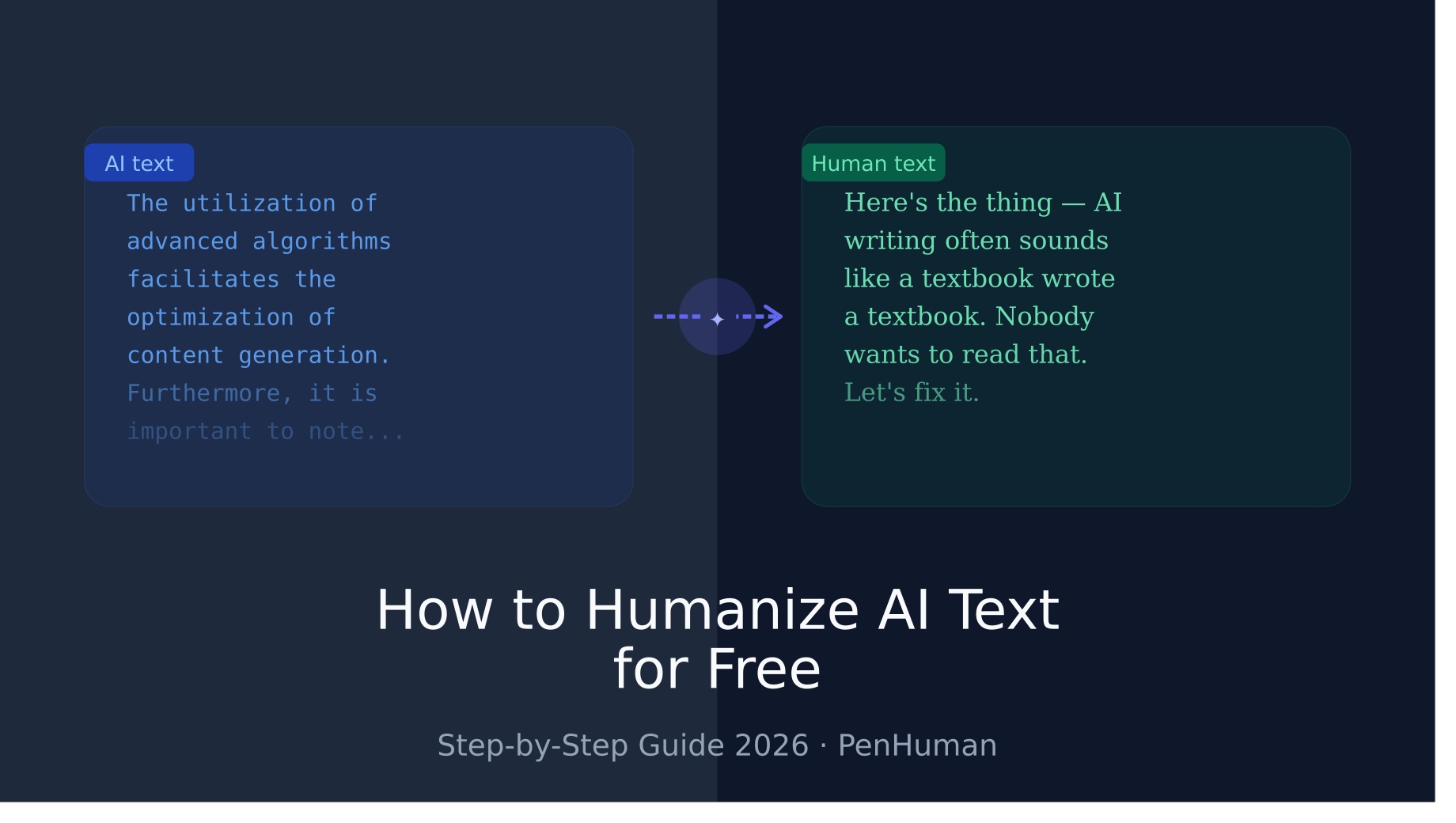
By this point, I’m sure you’ve heard about AI models such as GPT-4, which was made by OpenAI, and maybe you’ve even messed around with one or more of these models. These AIs are advancing at a crazy high pace and also have features that make the text generated by them recognizable, such as (But not limited to): having super repetitive sentence structures, repetitive subject matter, and using super 'sterile' language when describing something.
Now, you may be thinking, “What’s so wrong about text like THAT?”
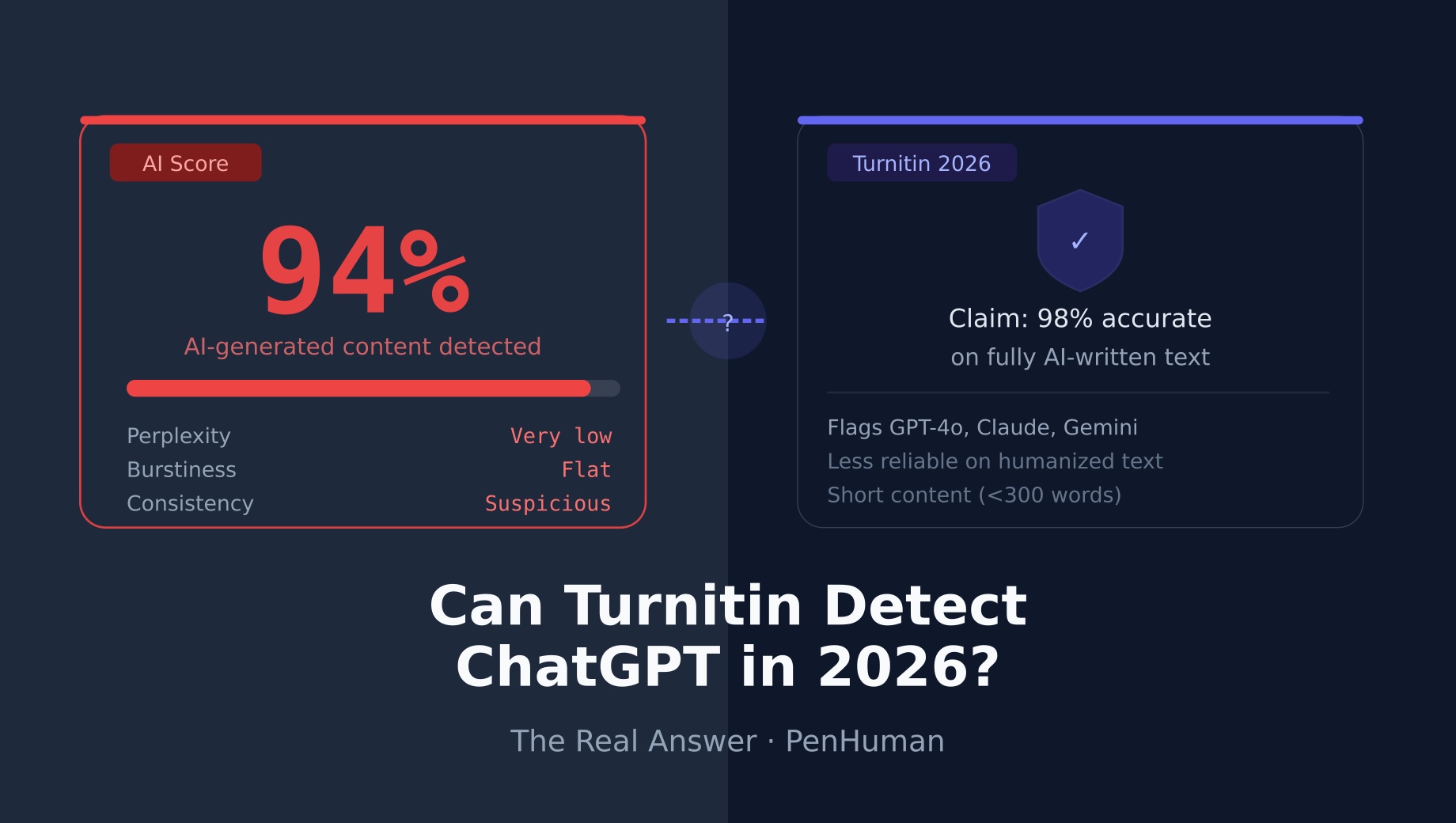
Well, there isn’t anything wrong with AI content, for the most part. People want text like this to be rewritten because either their potential readers can spot the highly recognizable traits I previously listed or run the content through an AI detection tool, like Turnitin, ZeroGPT, GPTZero, etc, which gets a high percentage of AI-detected content, and don’t want people to know that a robot wrote their content.
So, to answer your original question:
When you run your AI text through a “De-GPT” tool and “humanize” your content, it comes out sounding less like AI wrote it and more like a person wrote it!
Why AI Text Needs Humanizing (And When It Doesn't)
Not all AI output needs humanizing. A quick internal memo, a code comment, or a product specification can stay as-is. But for anything that faces an audience, academic writing, blog posts, marketing copy, cover letters, or social media content, humanizing is usually worth the effort.
Here's when you definitely need it:
Academic submissions. Universities increasingly use tools like Turnitin's AI detection to flag AI-written papers. Even if your school doesn't explicitly ban AI use, submitting unedited AI text is academically risky and usually subpar writing.
Content marketing. Google's Helpful Content updates have made it clear: generic, pattern-driven text ranks poorly. Humanized content that adds real perspective and personality performs better in search.
Emails and outreach. AI-drafted cold emails are instantly recognizable and get ignored. A human touch dramatically improves open and response rates.
Social media. AI content tends to lack the quirks, humor, and spontaneity that social audiences respond to.
When you don't need to humanize: internal documentation, technical specs, data summaries, or any content where formal consistency is actually a feature, not a flaw.
Step-by-Step: How to Humanize AI Text for Free with PenHuman
PenHuman is one of the most capable free AI humanizers available in 2026. Here's how to use it from start to finish.
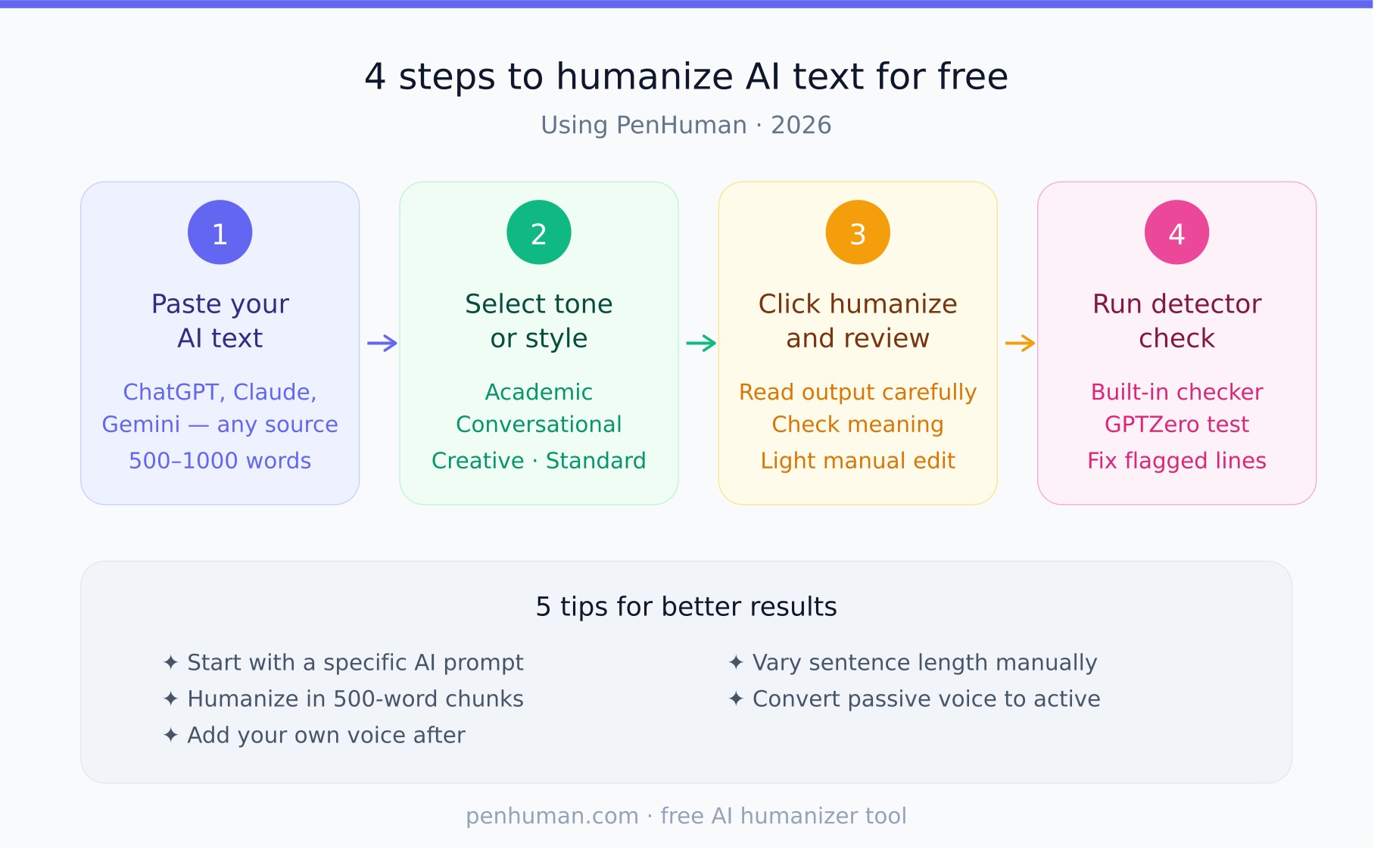
Step 1: Paste Your AI-Generated Text
Head to PenHuman's free AI humanizer tool and paste your AI-generated content into the input box. You can paste text from ChatGPT, Claude, Gemini, Jasper, Copy.ai, or any other source.
Tips for this step:
- Work in chunks of 500–1,000 words for best results.
- Don't include headers or formatting symbols. Paste plain text
- The free plan supports up to a set word limit per session (see pricing details if you need more)
Step 2: Select Your Tone or Style
PenHuman lets you choose from several output styles before humanizing. This is a step many users skip.
Available tone options typically include:
- Standard balanced, readable, neutral
- Academic formal, structured, suitable for essays and reports
- Conversational, informal, warm, great for blog posts and social copy
- Creative, expressive, varied, ideal for storytelling and marketing
Choosing the right tone saves you a round of manual edits afterward. If you're not sure, "Standard" is a solid default.
Step 3: Click Humanize and Review
Hit the Humanize button and wait a few seconds. PenHuman processes the text and returns a rewritten version designed to bypass AI detection while preserving your original meaning.
Once the output appears, read it carefully. Ask yourself:
- Does it still say what you intended?
- Does it sound like something a real person would write?
- Are there any awkward phrases that need tweaking?
No humanizer is perfect, and a quick read-through and light manual edit will always improve the final result. Treat the output as a strong first draft, not a finished product.
Step 4: Run the AI Detector Check
Before using your content, run it through an AI detector to confirm it passes. PenHuman includes a built-in detector check, but you can also test with tools like GPTZero or Originality.ai.
If the content still triggers detection:
- Break it into smaller sections and re-humanize each part.
- Manually rewrite the flagged sentences (AI detectors often highlight specific phrases)
- Add your own examples, anecdotes, or opinions; these are impossible to detect as AI-generated
After passing the check, your content is ready to use.
5 Tips for Better Humanization Results
Getting clean results from a free AI humanizer isn't just about clicking a button. These five practices consistently improve output quality.
1. Start with better AI output. The cleaner and more specific your original AI prompt, the less humanization work the tool has to do. Ask the AI to write in a specific person's voice, include examples, and avoid generic summaries.
2. Humanize in sections, not in bulk. Large blocks of text tend to produce lower-quality humanization. Break your content into 300–600-word sections for more consistent results.
3. Add your own voice after humanizing. Insert a personal anecdote, a strong opinion, or a real-world example. These human additions anchor the content and make it far more resistant to AI detection because they're genuinely not AI-generated.
4. Vary your sentence length manually. AI humanizers improve sentence variety, but a quick manual pass where you deliberately mix short punchy sentences with longer, more complex ones creates a natural rhythm that feels authentic.
5. Use active voice. AI text leans heavily on passive constructions ("It was found that…", "This can be seen in…"). After humanizing, scan for passive voice and convert it. The result is more energetic, direct writing.
Free vs Paid AI Humanizers: What's the Difference?
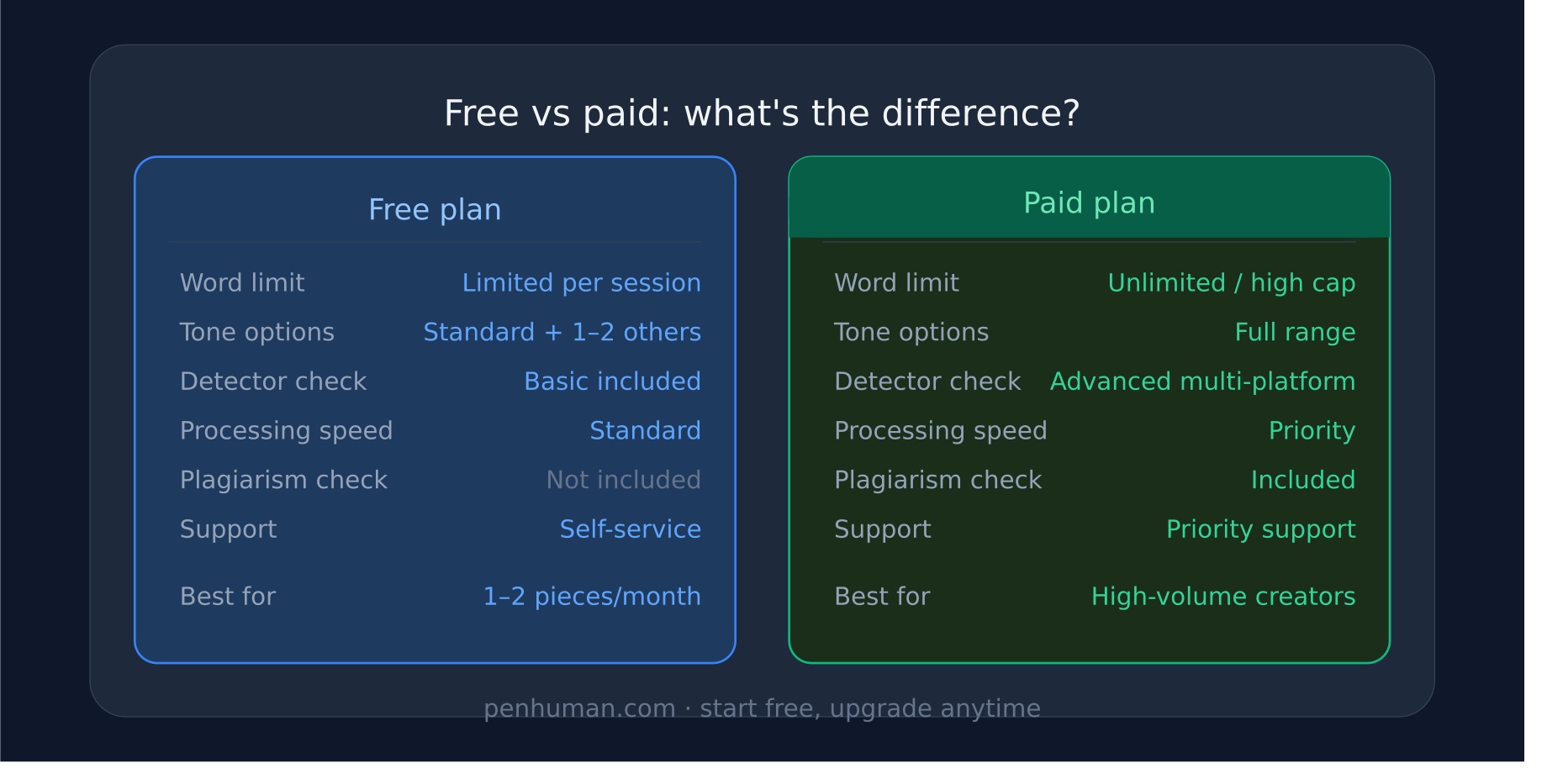
If you're just getting started, the free plan on PenHuman covers the basics well. Here's an honest breakdown of the tradeoffs:
Feature | Free Plan | Paid Plan | |||||||||||
|---|---|---|---|---|---|---|---|---|---|---|---|---|---|
Word limit | Limited per session | Unlimited or high monthly cap | |||||||||||
Tone options | Standard + 1–2 others | Full range | |||||||||||
Detector check | Basic | Advanced multi-platform | |||||||||||
Processing speed | Standard | Priority | |||||||||||
Plagiarism check | No | Yes (some plans) | |||||||||||
Support | Self-service | Priority support |
For casual use, a blog post here, an essay there, the free plan is genuinely sufficient. If you're producing content at volume (several thousand words per week), the paid plan pays for itself quickly in time saved.
The free plans from competitors like QuillBot and Undetectable.ai have similar limitations. PenHuman's free tier competes well on output quality, which is ultimately what matters most.
Frequently Asked Questions
Can I humanize AI text completely for free?
Yes. PenHuman offers a free tier that lets you humanize AI-generated content without entering a credit card. There is a word limit per session on the free plan, but for individual pieces of content, it's more than enough for most users.
Does humanizing AI text work on Turnitin?
In most cases, yes, when done properly. Turnitin's AI detection looks for patterns in sentence structure, vocabulary distribution, and writing consistency. A well-humanized piece disrupts these patterns. However, results vary depending on how thoroughly the text is rewritten. For academic use, always review the output yourself and add original commentary.
How many words can I humanize for free on PenHuman?
The free plan includes a set number of words per session. Check the current limits on the pricing page, as these are updated periodically. If you need more, the paid plan is available at an affordable rate.
What's the best free AI humanizer in 2026?
PenHuman consistently ranks as one of the top free AI humanizers based on detection bypass rate, output readability, and ease of use. Other tools worth knowing include QuillBot (strong paraphrasing), Undetectable.ai (good detection bypass), and StealthWriter. PenHuman distinguishes itself with its tone selection and built-in detector check on the free plan.
Does PenHuman change the meaning of my text?
PenHuman is designed to preserve meaning while changing style and structure. In rare cases, complex or nuanced sentences may be slightly reinterpreted. This is why the review step (Step 3 above) matters: always read the output and correct anything that drifts from your original intent. The tool is a starting point, not a replacement for your judgment.
Ready to start? Try PenHuman's free AI humanizer tool, no account required for your first session. Need more words or advanced features? See our pricing page to find the right plan.