Write Clear Release Notes Without Turning Plans into Promises
Start release notes with what a reader can use
A release note gives a reader a practical reason to open the product, change a workflow or check whether a problem affects them. It also tells them whether the change applies to their account. That is easy to lose when a draft combines finished work, a preview and a hopeful plan. Begin your release notes by answering the reader’s immediate question. What works for me in this version? Put the action, platform and access condition together so the reader finds them at a glance.
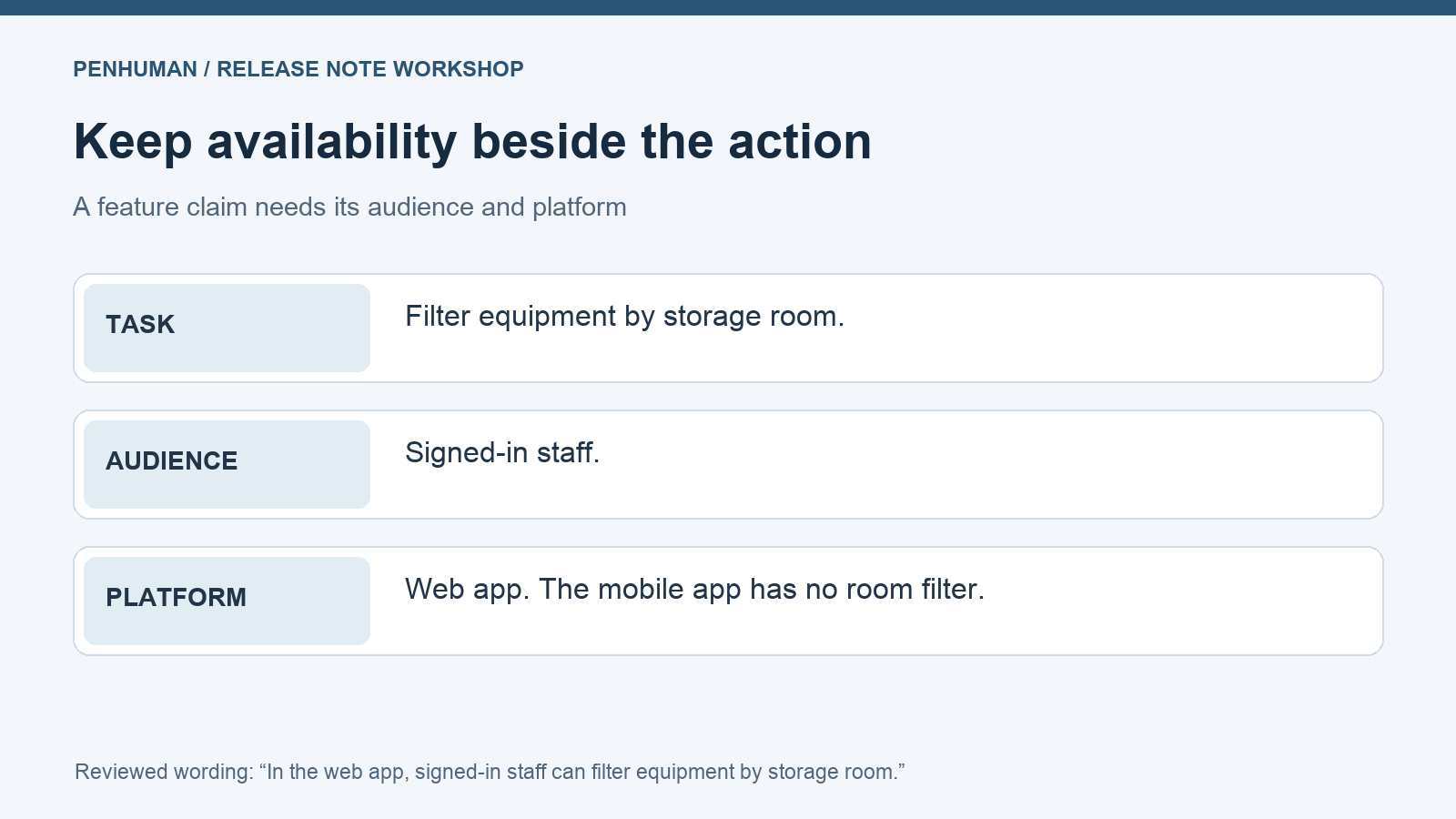
Work through the fictional equipment checkout app below. A library coordinator wants to find equipment in a particular storage room before preparing a reservation. Another member of staff uses the mobile app while walking between rooms. They read the same release announcement but have different ways to access the product. A broad sentence about a new filter leaves the mobile reader searching for a control that is absent from their app. That platform detail determines whether the instruction fits that reader’s task.
Separate the source brief into availability states
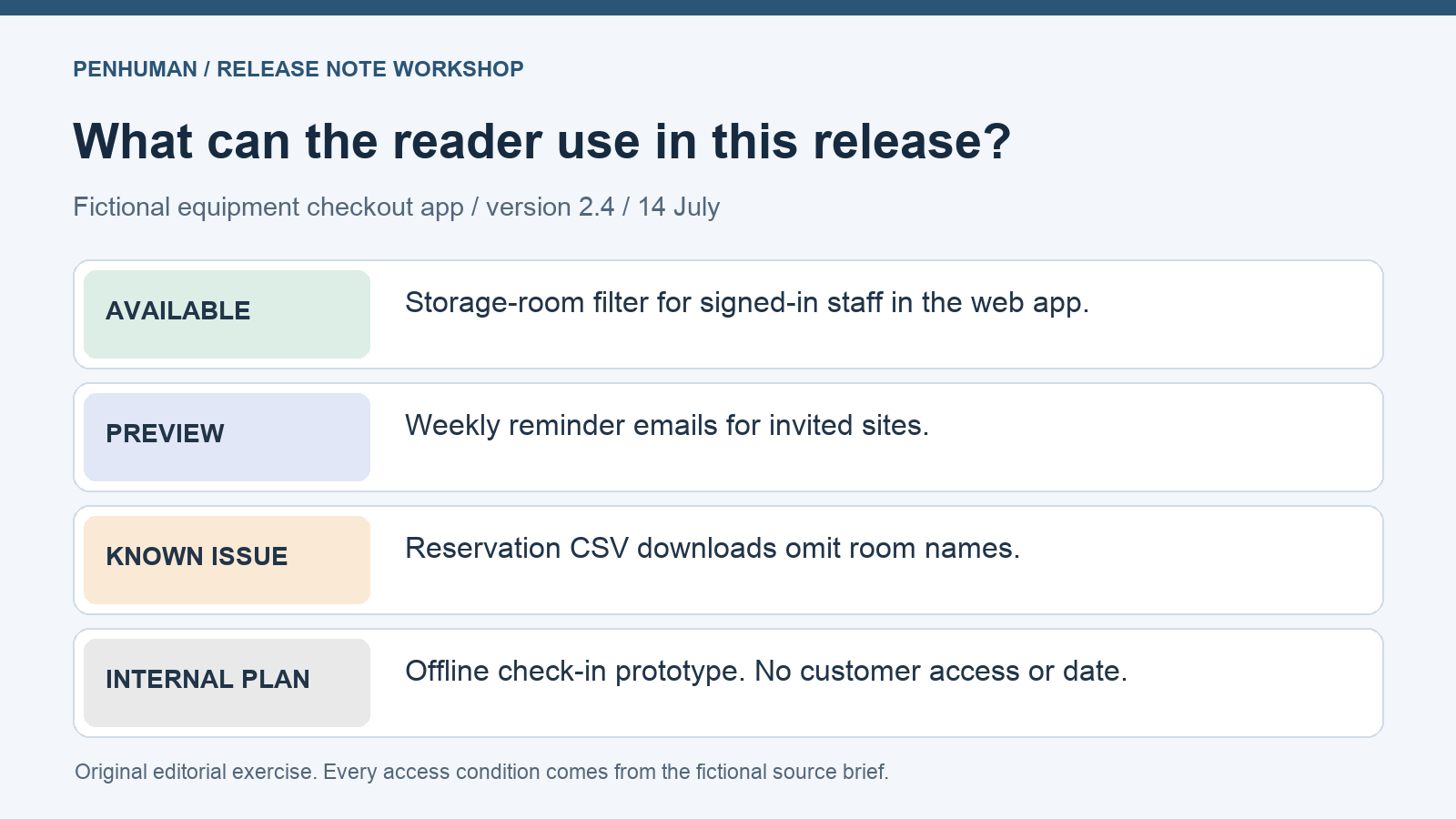
Use this invented brief as the complete source record for the editing exercise. "The fictional equipment checkout app releases version 2.4 on 14 July. All signed-in staff can filter equipment by storage room in the web app. The mobile app has no room filter. Weekly reminder emails are in a preview for invited sites. There is no date for expanding that preview. Reservation CSV downloads omit room names. Staff can open a reservation in the web app to see its room. Offline check-in is a prototype. It has no release date and is not available to customers."
Before drafting the announcement, mark each change with the audience that has access. For the filter, record both the signed-in staff requirement and the web platform. For the reminder preview, record the invitation restriction and the unknown expansion date. The export issue belongs with the affected output and the available way to check it. Keep the prototype in a separate internal planning note. The source gives no customer access or release date for that item, so it supplies no action for the reader of this version’s notes.
- Available in version 2.4 — storage-room filter for signed-in staff in the web app.
- Preview — weekly reminder emails for invited sites. Wider access has no announced date.
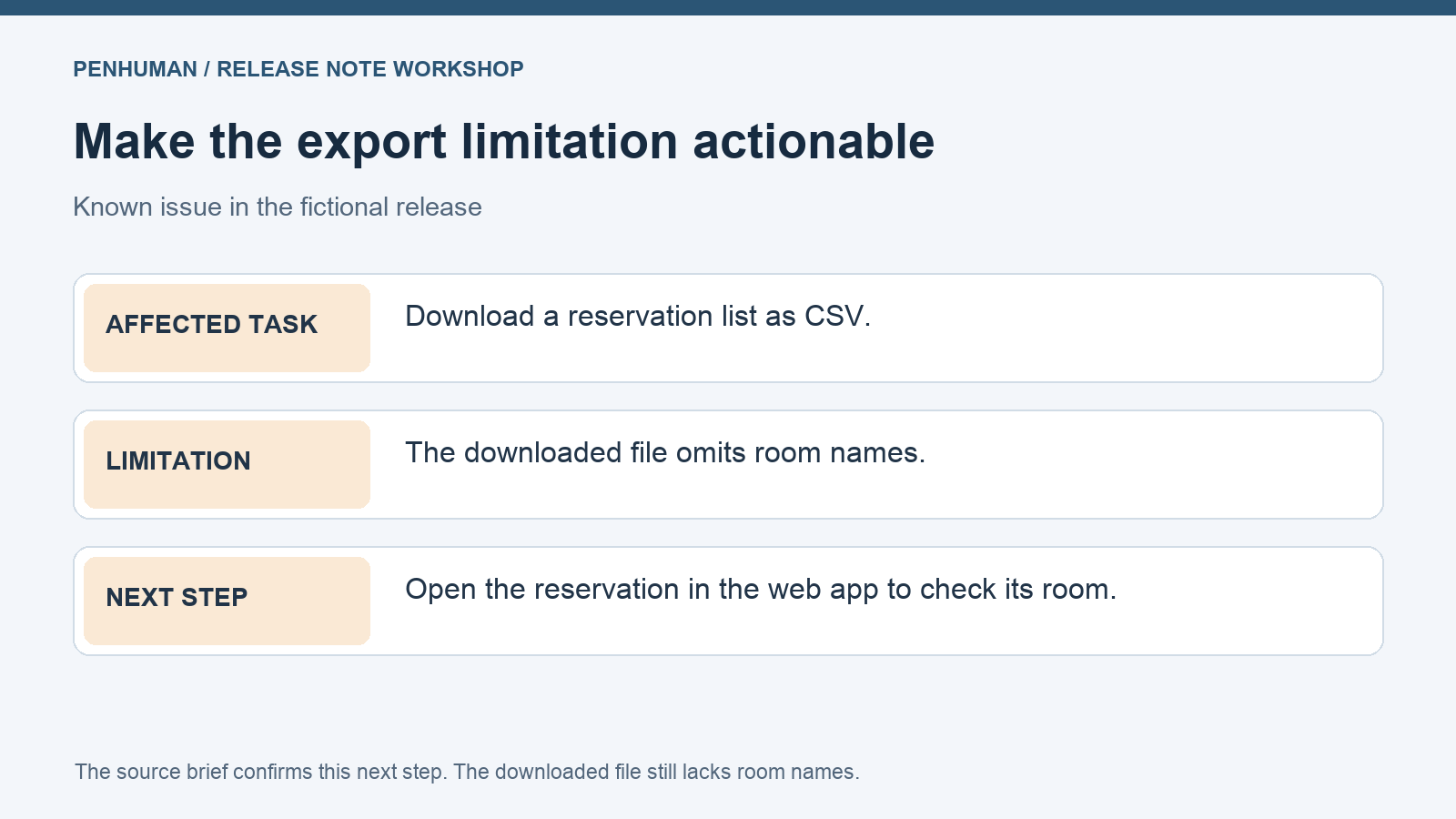
- Known issue — reservation CSV downloads omit room names. Check the reservation in the web app.
- Internal planning — offline check-in prototype, unavailable to customers, with no release date.
Keep the platform and audience next to the feature
Try the rough line, "Find equipment by room wherever you work." The line sounds friendly, but the ending suggests the feature follows staff onto their phones. Replace it with the factual line, "In the web app, signed-in staff can filter equipment by storage room." Place the mobile limitation next to it. This lets the mobile reader stop searching and choose another way to complete the task. Review the screenshot caption or notification preview too, since a shortened version might travel without the qualifying paragraph.
Choose preview labels with a defined meaning in your product. Atlassian’s organization documentation, for example, distinguishes a change with no scheduled rollout date from a rollout that some app instances have received. Those statuses describe its own distribution process. For the fictional app, the evidence supports an invitation-only preview for reminder emails. Calling it available to everyone would expand the audience beyond the brief. If a reviewer asks when their site gets access, point to a verified schedule or say that a date has not been announced.
Describe present behavior and keep plans out of the promise
Google’s developer documentation style guide recommends present tense for general product behavior. It also allows future tense for an action that occurs later, such as a scheduled process. Use that distinction when reviewing the draft’s wording. The problem with promising an offline mode is the absence of a released feature and an approved date in the source. Changing the verb from will to might still gives the prototype space in the announcement. Keep this item with the planning material until there is an approved, useful update for customers.
Look for words in the draft that add scope or timing. Soon implies a timetable even if it names no day. Everyone broadens a restricted audience. Automatically adds behavior the brief may never have described. In this example, a line promising reminders to all staff next month introduces both a new audience and a delivery estimate. Go back to the source and write only the available preview and its invitation requirement. The short sentence then answers who can try the feature without sending other readers to look for access they lack.
Make known issues usable at the point of need
State the export limitation beside the affected task so a reader recognizes it. A vague note about export improvements would hide the missing room names. The fictional brief gives a concrete route to the information, so explain that staff can open the reservation in the web app to check its room. Keep the limitation visible even when the workaround feels easy. Someone receiving the downloaded list might lack access to the app, and the file still omits the information they need.
Verify each workaround against the evidence used for the main feature. A writer might try to help by suggesting a fresh download, a different file type or a settings change. None of those actions appears in this brief. Ask the owner of the issue to confirm a recovery path before adding it. If the note includes a command, field name or configuration value, compare it exactly with the source. The technical documentation editing guide covers that closer review of identifiers and instructions.
Assemble a note that stands on its own
The complete example below keeps the brief’s version, audience and limitation together in the release note. "Version 2.4 — 14 July. In the web app, signed-in staff can filter equipment by storage room. This filter is unavailable in the mobile app. Weekly reminder emails are available in preview to invited sites. A date for wider access has not been announced. Known issue in this version. Downloaded reservation CSV files omit room names. To check the room for a reservation, open that reservation in the web app. Keep this limitation in mind when sharing a downloaded list with someone who needs its room details."
The example omits the offline prototype because the brief provides no released capability or customer action for it. It keeps the preview because invited sites already have access and the audience is stated. To adapt this format, replace the example facts with your verified version, release date, availability conditions and known issues. Add a link to detailed instructions where a task needs more explanation. Check that the destination describes the same version or clearly explains the differences before putting it in the published note.
Review the note as a reader with limited access
Ask a reviewer to read only the note before publication and describe which screen they would open. For the room filter, their answer needs to include the web app. Ask a person outside the preview what the reminder sentence tells them about access. They need to see the invitation requirement and the unknown wider date. Finally, ask what a downloaded reservation list contains. If they expect room names, the known-issue wording needs attention. This read-through checks whether the qualification stayed attached to the useful feature statement.
Save the source brief and reviewed note with the release record. When availability changes, update the relevant statement from fresh evidence and record when the note changed. A reader following an old link needs to distinguish an original version limitation from an update that resolved it. If the draft also needs a shorter form, use the word and character limit guide to decide what the destination counts. Preserve the platform, audience and limitation through that edit, then read the short version as an independent message.
- Does each feature identify who has access and where it works?
- Do the version and release date match the release record?
- Does a preview retain its actual access restriction?
- Do known issues identify the affected task and a verified next step?
- Did any edit add a date, audience, automatic behavior or capability?
- Do linked instructions and shortened announcements preserve the same conditions?
Frequently Asked Questions
Should a release note include work that is still planned?
Discuss future work only when the organization has approved that communication and the intended reader needs it. State the actual status and any confirmed limits on timing or access. For this example, the offline prototype stays in internal planning because the brief provides neither customer availability nor a release date. There is already enough useful information about the released filter, the invitation preview and the export issue. A public roadmap, if the team maintains one, needs its own review and current evidence rather than borrowing certainty from a release heading.
What if a feature reaches accounts at different times?
Identify the group with access and the rollout state supported by the release record. If the next group has a confirmed schedule, include it with the appropriate date and scope. If there is no announced date, leave that uncertainty visible. In the fictional app, invited sites have the reminder preview while other sites have no stated access date. A message sent to all customers still needs that qualification. Check the announcement again when the audience expands, using fresh confirmation from the person responsible for the rollout.
How much detail belongs in the known-issues section?
Give the affected reader enough detail to recognize the problem and decide what to do next. Name the task, the observed limitation and a verified workaround when one exists. In the fictional example, the issue affects room names in downloaded reservation files, while the reservation in the web app provides the room information. Detailed troubleshooting can live in a linked guide, provided the link is accessible to the audience. Keep the essential limitation in the release note so a reader sees it before attempting the task.