Clear Instructions: Write Actions and Completion Checks
Start clear instructions with a reader and an outcome
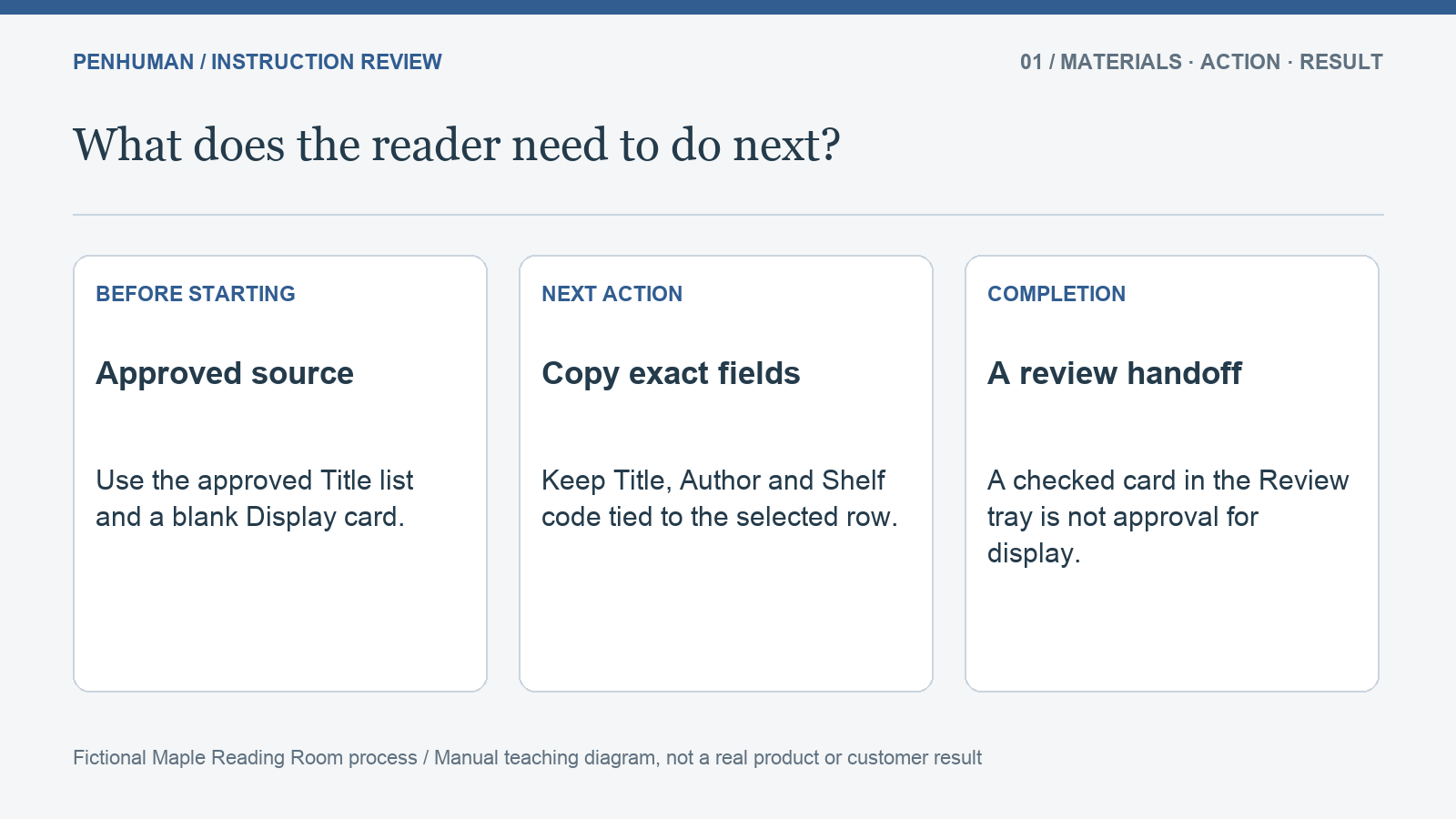
Clear instructions let a reader decide whether to begin, take the next action and recognize when the task is finished. A warm introduction cannot supply a missing material, identify an unnamed field or explain what happens after a handoff. This guide uses an original fictional reading-room process to edit a rough instruction card. The reader is a new volunteer preparing a book-display card for review, not the coordinator approving it for public display. Keeping those roles separate gives the writer a practical test: does each sentence help this volunteer perform the task that the source actually authorizes?
Google’s procedural-writing guidance recommends giving readers needed preparation information, ordering actions and placing a result after the action it follows. Microsoft’s instruction guidance recommends a separate step for each instruction, while allowing small actions in the same place to stay together. These principles inform the review below; they do not prove that the fictional process has been tested with users. The source note, rough card and manual revisions are newly written teaching materials, not customer records, a live PenHuman interface or raw tool output. We will review a specific action sequence rather than merely replace formal words with conversational ones.
Record the process before rewriting its instructions
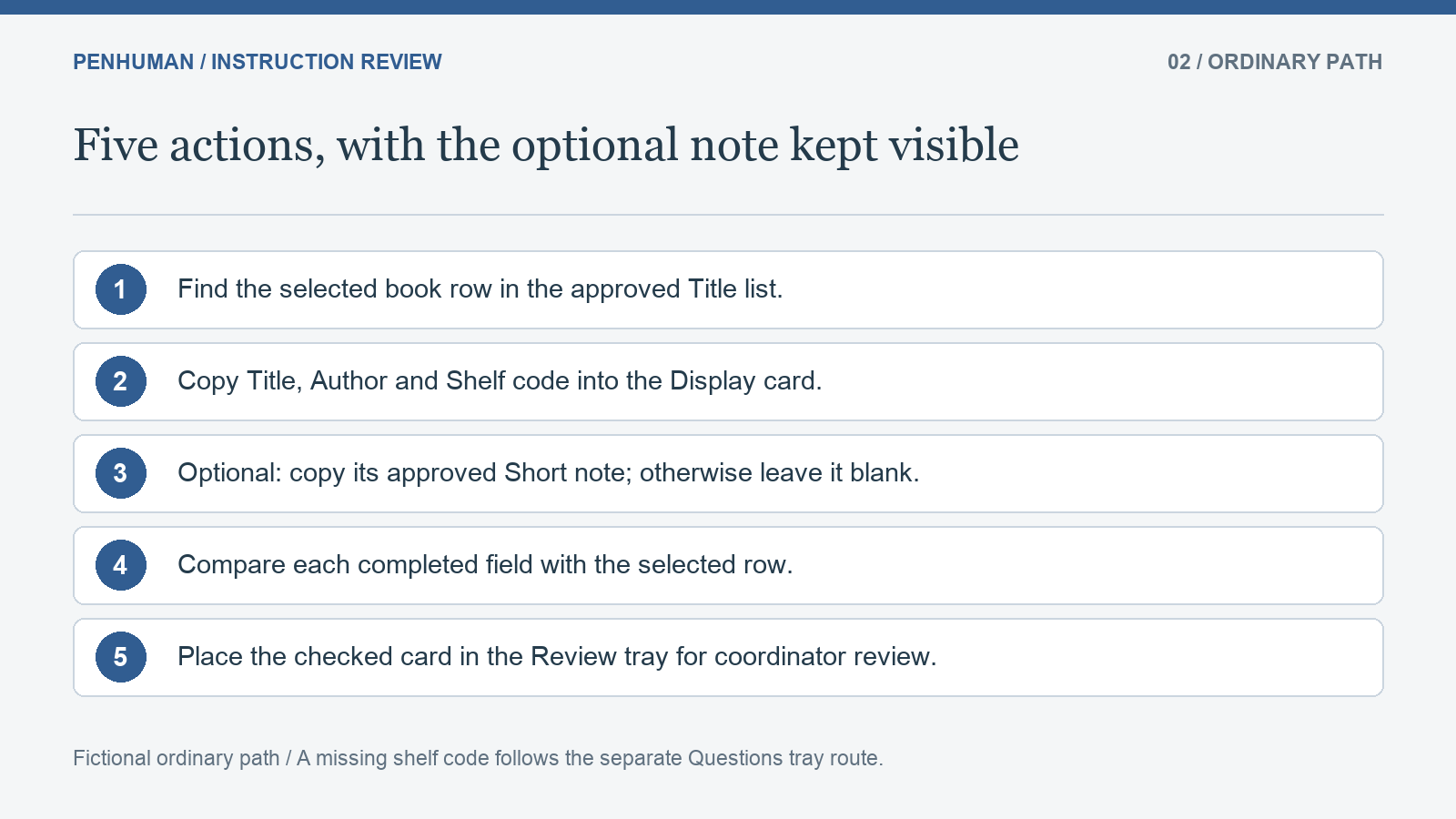
In the fictional Maple Reading Room, a volunteer is given an approved Title list and a blank Display card. The card has Title, Author, Shelf code and Short note fields. One list row reads The Small Lantern, Mina Reed, R2, with the approved note "A quiet walk after sunset." These names and details are invented for this exercise. The volunteer copies the title, author and shelf code from the selected row; a short note is optional and must come from that same row. The volunteer compares the completed fields with the list before placing the card in the Review tray.
The coordinator reviews cards from the Review tray before public display. Placing a card there does not mean it has been approved. If the selected row has no readable shelf code, the volunteer leaves that field blank, places the card in the Questions tray and asks the coordinator for the missing code. The source supplies no response deadline, automatic approval or alternative location lookup. A deliberately rough instruction says, "Get the details, make the card nice and put it over there when it is ready." The sentence obscures the source, fields, destination and meaning of ready. It needs a process-based repair before a tone adjustment.
Put prerequisites before the actions that depend on them
Begin the instruction card with the actual task and the materials the volunteer needs: an approved Title list and a blank Display card. The reader also needs the boundary that this process prepares a review copy, rather than publishing it. A note about those materials at the end would come after the reader has already tried to begin. Do not add a website, account requirement, printer setting or permission process that the source never supplied. If the approved list is absent, the working draft has a preparation gap; polished language cannot turn an unapproved list into the required source.
Map the dependencies next. The volunteer must select the intended book row before copying its fields, and must compare the copy before handing it over for review. Moving the comparison after the handoff would change when a mistake is caught. There is no need to split copying a title and author into separate stages just to make every step look equally short. They belong to the same small copying task in the same place. Separate an action when the reader changes purpose, location or decision, then check the complete sequence against the process note.
Name the action and make the completion check concrete
The opening instruction can read, "In the approved Title list, find the row for the book you are preparing." A following instruction is, "On the Display card, copy the Title, Author and Shelf code from that row into the matching fields." The location comes before the action, and the field names match the supplied materials. Get the details does neither job. For our selected row, the resulting fields should contain The Small Lantern, Mina Reed and R2. This is a manual comparison with the fictional source, not a claim that a tool has validated the card.
After deciding whether to include the optional note, the review instruction can read, "Compare each completed field with the selected row in the Title list." The handoff instruction is, "Place the checked card in the Review tray for the coordinator to review." The coordinator’s review is still pending at that point. Avoid calling the card approved, published or ready for readers merely because the volunteer finished copying it. A clear completion description states the observable handoff: the checked card is in the Review tray. It does not promise how quickly the coordinator will act or that every submitted card will be accepted.
Keep optional actions and exceptions distinguishable
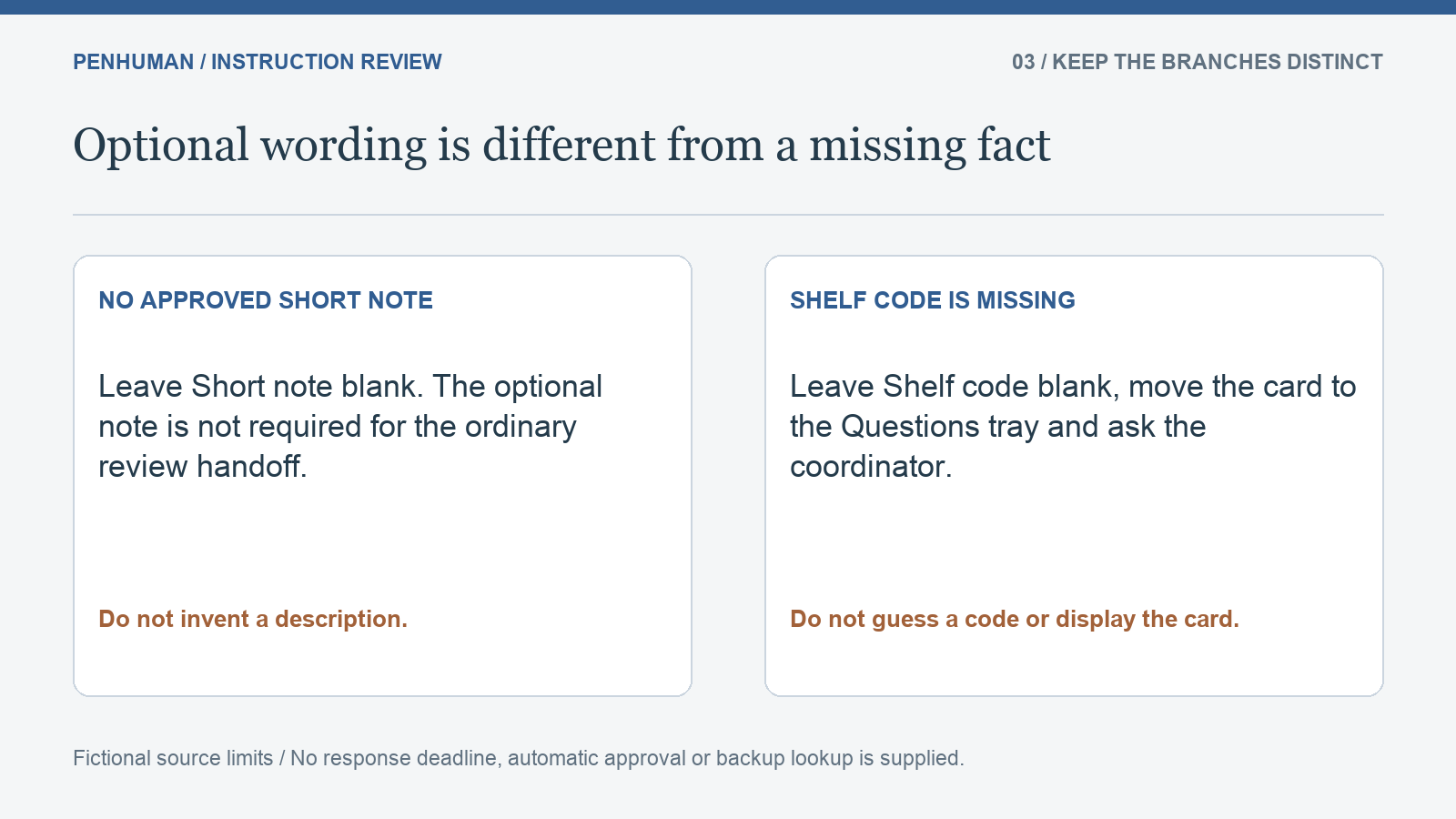
The optional step is, "Optional: Copy the approved Short note from the same row. Otherwise, leave Short note blank." This does not let the volunteer invent a description to make the card more attractive. In our example, the available note is "A quiet walk after sunset." A different selected row may have no approved note, and the instruction still works without adding one. Put this decision beside the fields it affects. Hiding the word optional in a later passage could make a volunteer think every card needs extra wording before it can go for review.
A missing shelf code takes a different path. The source directs the volunteer to leave that field blank, move the card to the Questions tray and ask the coordinator; it does not permit using the ordinary Review tray as though the card had been checked completely. Place this exception next to the copying and checking instructions, where the reader can encounter the problem. State the condition before its action so the reader knows when it applies. Do not invent a backup catalogue, a guessed code or an instruction to display the card while waiting for a response.
Walk through the instructions from the reader’s starting point
For a manual review, put the approved list and blank card beside the draft instructions. Follow the selected row without silently supplying information from memory. Point to the source of each copied field and to the tray named by the handoff step. Then inspect a separate fictional row with a missing shelf code: does the draft lead to the Questions tray without inventing the missing value? These are proposed review scenarios, not a completed participant study or measured reduction in mistakes. Note the point where the instruction needs an explanation that is not yet on the card.
Check the final presentation as well as the sentences. An ordered procedure needs a visible sequence; an optional action and an exception need labels that preserve their roles when someone scans the page. A diagram can clarify the path, but the written instructions should still identify the materials, fields and destinations. Avoid relying on a location such as over there when the actual tray has a name. The glossary guide offers a separate way to keep those names consistent, while the actionable-feedback guide helps turn a reviewer’s confusion into a specific revision request.
Review wording candidates without changing the process
If you use the AI Humanizer on your own eligible explanation, keep the source note and instruction draft beside its candidate. Check the prerequisite, action order, exact field labels, optional note and missing-code branch before assessing tone. A candidate that turns coordinator review into approval has changed the process even if every sentence sounds natural. The same applies to moving the comparison after the handoff or filling a missing code with a plausible value. Save the source, candidate and editorial corrections separately so a later process change can be checked against what the instruction originally said.
Basic accepts complete drafts of 80–600 words within the remaining allowance and includes 3,900 Humanizer characters with no scheduled reset. The brief quoted steps here are manual examples; do not pad them to satisfy a tool minimum. The Word Counter can help check a documented length limit, but it cannot decide whether a step is supported or a handoff is complete. This workflow makes no claim that PenHuman executes procedures or approves a process. End by comparing the complete instructions with their source and checking that the same reader would reach the same supported endpoint.
Frequently Asked Questions
Does every instruction need its own numbered step?
Separate instructions when combining them makes a reader lose track of their next action or decision. Small actions in the same place can sometimes stay together, as copying the title, author and shelf code does in this fictional exercise. A later comparison and a handoff serve different purposes, so give them their own place in the sequence. Do not use equal sentence length or a fixed number of steps as the deciding factor. Check whether a new volunteer can follow the actual dependency without guessing what to do first.
How do I explain a step when its result is uncertain?
State the result that the source establishes and keep any later outcome pending. In this exercise, placing a checked card in the Review tray completes the volunteer’s handoff; it does not establish coordinator approval or public display. If the instructions need a response time or a way to check approval, ask the process owner to supply that information before the wording relies on it. Do not make the explanation more reassuring by inventing an automatic next step. A precise boundary is more useful than a confident promise with no source.
What should I do when a rewrite removes a prerequisite?
Reinstate the prerequisite from the verified source, then reread every action that depends on it. The approved Title list is necessary before this volunteer copies a book’s details; replacing it with any available list would broaden the process. Reread the assembled instructions after the repair, because the misplaced condition may affect more than a single sentence. Keep the genuine candidate and the correction in your working notes rather than calling the repaired text untouched output. If the source itself is incomplete, resolve that gap before approving the affected instruction.