Use a Glossary to Keep Names and Terms Consistent in Drafts
A glossary begins with the distinction a reader needs
A draft refers to the same thing as a booking, a reservation and a place. Another draft uses booking for a request that is still waiting. Use a glossary to distinguish a change in language from a change in meaning. Identify the concepts your reader must distinguish, then document the names used to label them. The exercise below uses an explicitly fictional room-booking service. Its terminology sheet, rough sentences and manual repairs are original teaching examples, not PenHuman output, a real service policy or customer writing.
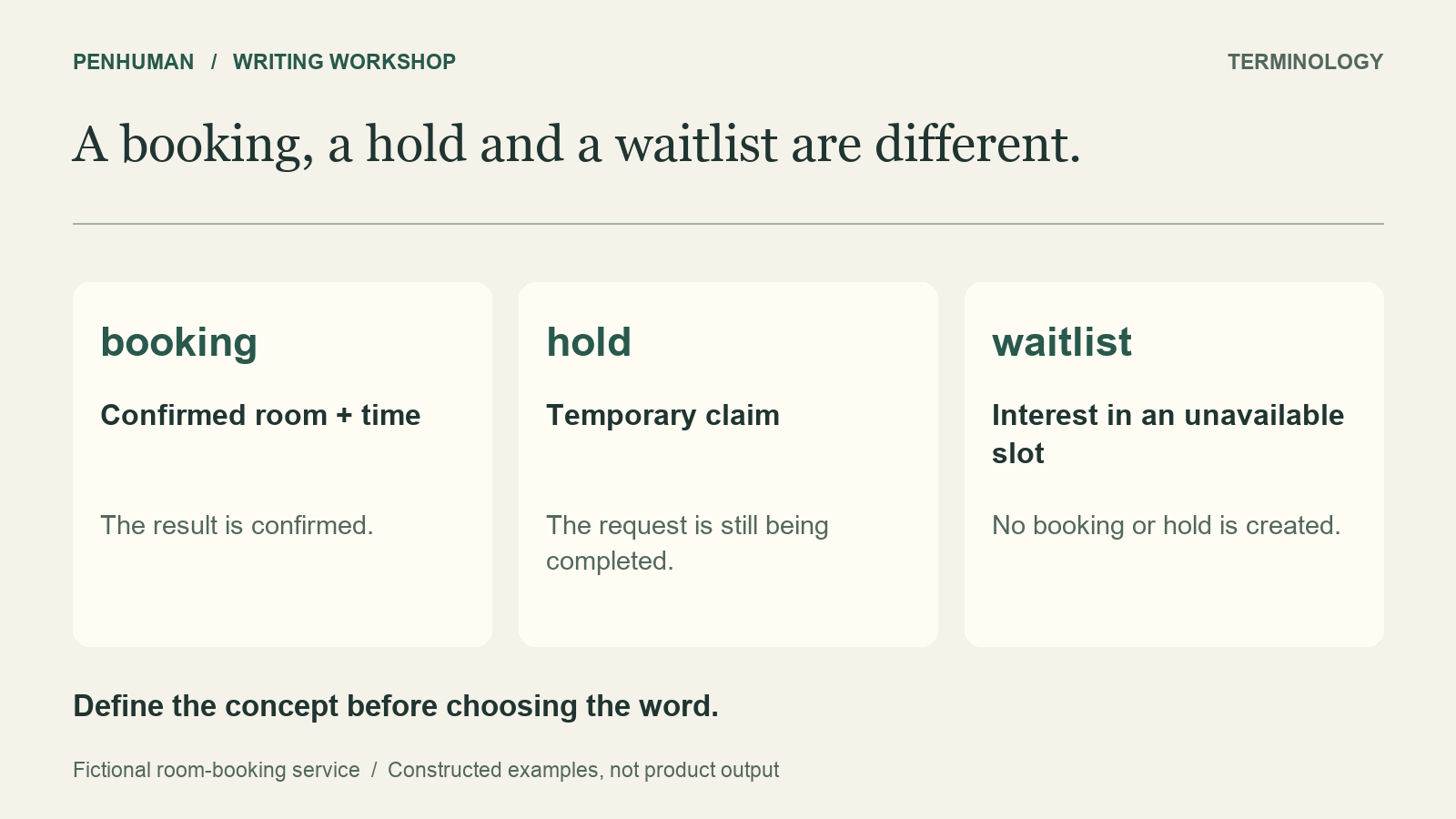
Before editing the welcome guide, read the source definitions below. A booking means a room and time are confirmed. A hold is temporary while someone finishes a request. The waitlist records interest in an unavailable slot. Those states give a visitor different expectations, so making them sound interchangeable would change the instructions. The button label is a separate reference to the interface. Retain the supplied label even if the surrounding prose uses a different noun. No missing duration or availability promise should be filled in by guesswork.
- booking: a confirmed room and time for a visitor.
- hold: a temporary claim on an available room while a visitor finishes the request; it is not confirmation.
- waitlist: a list of visitors who want a slot that is unavailable; joining does not create a booking or hold.
- Reserve room: the exact label of the button that opens the request form.
- The source gives no hold duration or promise that a waitlisted visitor will receive a room.
Build a small glossary record with meaning and context
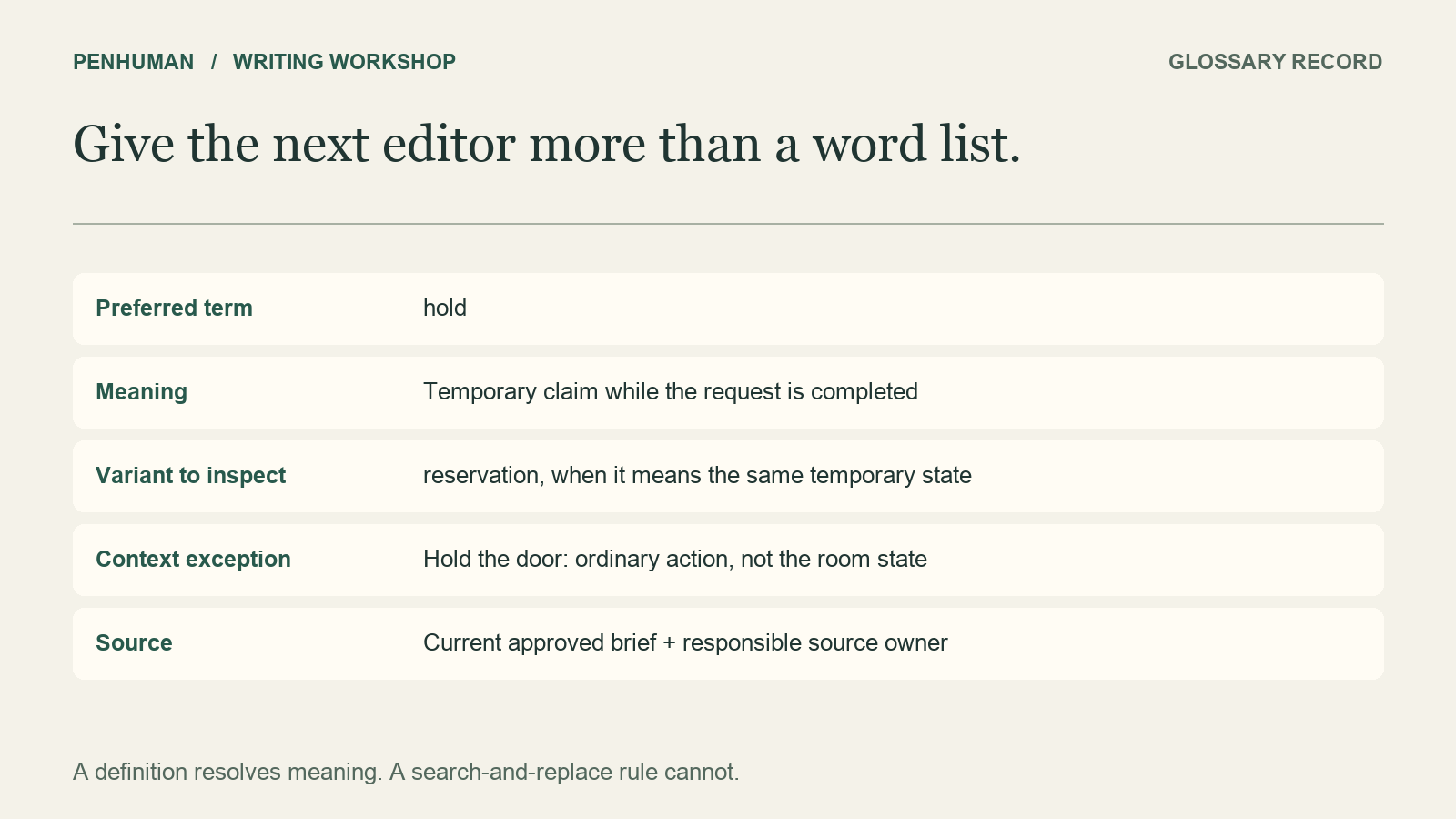
Microsoft’s guidance on technical terms recommends using a chosen term consistently and defining unfamiliar terminology in context. Apply this advice by making a compact record for each important concept. Record the preferred wording, meaning, variants to review, an example and the source for settling disagreements. A list saying only use booking, not reservation leaves an editor unable to tell whether every reservation in a mixed document means the same thing. The definition supports a naming decision instead of supplying a blind replacement rule.
For the hold entry, write temporary claim on an available room, not confirmed. List reservation as a variant to inspect when it describes the temporary state. Include the example, "Your hold is temporary while you complete the request." Name the current welcome-guide brief as the source and the service owner as the person who can clarify it. For a real project, provide its own named owner and checked source. Leave unknown details out of the definition until they are confirmed; even a neat record is wrong if its explanation invents a policy.
- Preferred term: hold. Meaning: temporary claim on an available room while the request is being completed.
- Variant to inspect: reservation, when it describes that same temporary state.
- Context exception: ordinary uses of hold, such as holding a door, are unrelated.
- Exact interface label: Reserve room. Do not rename the control in instructions.
- Source and owner: the current approved brief and the person responsible for the definition.
Revise a passage without collapsing different states
Start with this constructed rough passage: "Choose Reserve room to make a booking. Your reservation keeps the room while you complete the request. If the slot is unavailable, join the booking list." Each sentence calls for a decision, not just a spelling correction. Opening a form is not yet confirmation. Use hold for the temporary state. The final phrase blurs the distinction between interest in an unavailable slot and a confirmed room. Identify these meanings in the source before choosing wording for the revised passage.
Here is a manual repair: "Choose Reserve room to open the request form. Your hold temporarily claims an available room while you complete the request. If the slot is unavailable, join the waitlist. A waitlist entry does not confirm a room. A booking means that your room and time are confirmed." Some nouns recur in this version because they identify different states. It does not add a hold duration, a confirmation process or a promise about the waitlist. Review those omissions deliberately, rather than inventing another step to make the paragraph sound complete.
Separate ordinary prose from an exact interface label
A preferred prose term does not automatically override the label readers must find on a screen. In this fictional guide, the button is named Reserve room, while booking identifies a confirmed result. An instruction to choose Book room would send readers looking for a label the source never supplied. Google’s interface-writing guidance recommends identifying controls by their visible names and, in most cases, following their displayed capitalization. There are exceptions in its guidance for inconsistent or all-uppercase labels; neither exception is needed here.
Add a context note when a term appears in both explanatory prose and interface text. The heading Check your booking describes the confirmed result; the instruction Choose Reserve room identifies a control. Consistent usage need not give them identical words. If the actual interface changes, check the new label before updating the instructions and image captions. Do not use a glossary to rewrite quoted customer language, executable identifiers or document titles silently. Give those items their own source check and an explicit reason for any change.
Inspect search matches before replacing a variant
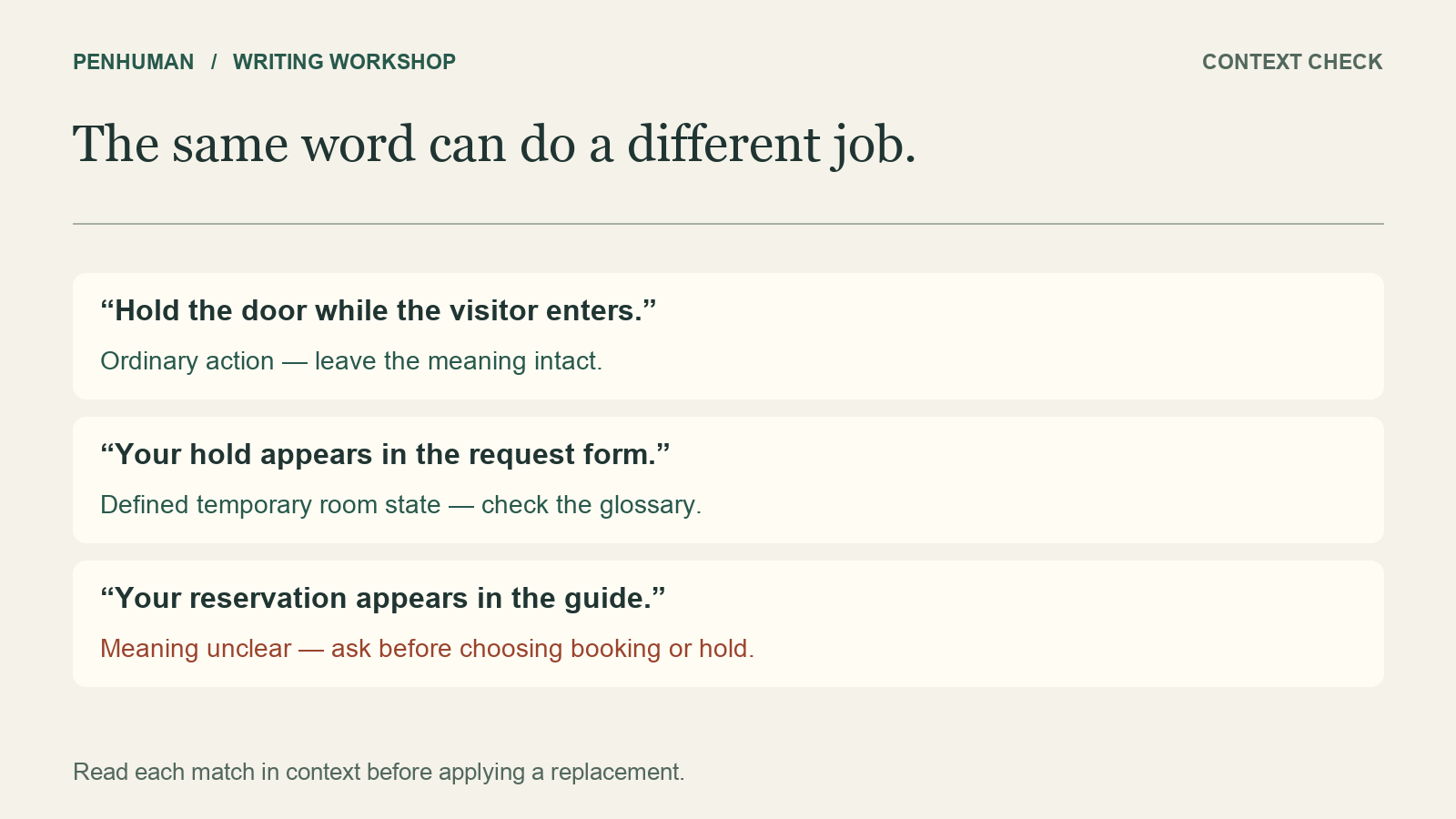
Search for preferred terms and known variants in the draft, then read each match in its sentence. A whole-word search can exclude matches inside an unrelated longer word, but it cannot determine the writer’s intended meaning. In "Hold the door while the visitor enters", hold is an ordinary action, not the temporary room state. In "Your hold appears in the request form", it names that state. A case-insensitive search can find both uses, yet replacing both in the same way would damage the instruction about the door.
If the draft uses reservation, consider what its surrounding sentence establishes. A confirmed room and time calls for booking in this example; a temporary claim calls for hold. Ask for clarification when a sentence supplies neither clue. Do not decide from the word alone, and do not mark an ambiguous sentence correct just because it now contains an approved term. Leave a note about the unresolved meaning beside the passage. When the owner supplies the missing distinction, update the source and use that evidence to revise the sentence, rather than choosing the most convenient synonym.
Check names across the finished document
Once the local edits are complete, read the welcome page together with its summary, headings, link text and captions. Even a corrected paragraph can conflict with a heading promising a confirmed room to someone on the waitlist. Google’s guidance for global audiences recommends consistent terminology and capitalization for the same concept across a document. In this example, the final pass asks whether each use of booking still means confirmed, hold still means temporary and waitlist still means interest in an unavailable slot. Preserve this distinction in a shortened version shared elsewhere.
Update the sheet when the underlying service changes. If a future approved brief renames a state, record the old term, the new term and where the change applies before editing existing material. Keep an earlier source if it explains an older document. The reviewer can then tell outdated wording apart from a deliberate historical reference. For capitalization-only work, the heading review guide covers restoring names and acronyms after conversion. That separate task does not establish whether the term means the right thing; settle its concept before checking spelling and case.
Use the sheet to review an eligible rewriting draft
Place the glossary beside the original passage when you use the AI Humanizer for a wording edit. Review the result as a candidate, comparing each relevant term with its definition and context. This is a manual review workflow, not an automatic glossary-enforcement feature. Basic accepts a complete draft of 80–600 words within the remaining Humanizer allowance. The included 3,900 characters have no scheduled reset. Use the short examples here for manual comparison; do not pad a single label or definition to reach the minimum.
First check whether the candidate preserves the distinctions that matter. Next, decide whether its sentence structure serves the intended reader. Retain useful phrasing, repair a specific mismatch from the source, or keep the original when the rewrite adds no value. Keep the raw candidate separate from your reviewed copy so another editor can see the changes. A successful rewrite uses the applicable allowance and still needs review. The numbers, negations and conditions worksheet offers a separate check for dates, limits and logic after the terminology pass is complete.
Frequently Asked Questions
Does consistent terminology make the writing repetitive?
Repeat a name if it helps readers recognize the same concept. You can vary sentence length, remove unnecessary restatements and improve transitions without inventing extra names for a booking. In the fictional example, booking, hold and waitlist are distinct states, so their repetition carries useful information. After checking those distinctions, read the paragraph aloud. If a sentence feels heavy, restructure it or remove an unnecessary clause, retaining the terms that tell readers which state is being discussed.
Can I replace every unwanted term at once?
Start by reviewing the matches in context. An unwanted variant may refer to different concepts in different sentences, and the same word may also appear in a quotation or exact interface label. In this example, reservation could describe either a temporary hold or a confirmed booking; the surrounding evidence determines the repair. Bulk replacement cannot supply the missing meaning. Even with repeated unambiguous matches, read the edited passage afterward for grammar, capitalization and references to surrounding text.
What if the glossary conflicts with the current interface?
Leave the conflict visible while you verify the current source. A control label and a prose term can differ legitimately, as Reserve room and booking do in this exercise. If the instruction names an obsolete control instead, verify its actual label before making a change. Record the correction’s scope in the terminology record so other writers can follow it. Do not silently rename the interface in prose to make the sheet look consistent; the reader still has to find the real control.