Edit a Comparison Table Without Inventing Missing Features
Start the comparison table with a specific question
A comparison table is useful when every cell answers the same question for each option. It becomes misleading when an empty cell turns into a confident No, or a missing limit becomes Unlimited. Before polishing the wording, identify the decision your reader is trying to make. For this exercise, a small team needs to export a project list as a CSV file from a browser workspace. It also wants to know whether that export can run on a schedule. Give these separate requirements their own rows.
The product notes and examples below are entirely fictional. They describe Option A and Option B, both on a plan called Team, in a source record checked on 10 November 2026. Note A says that a workspace member can manually export the project list as CSV, scheduled exports are not included in Team, and each workspace allows 100 active projects. Note B describes manual CSV export but says nothing about scheduled exports or a project limit. These invented notes provide the exercise’s complete evidence set, not claims about actual software or raw PenHuman output.
Record the evidence behind each cell
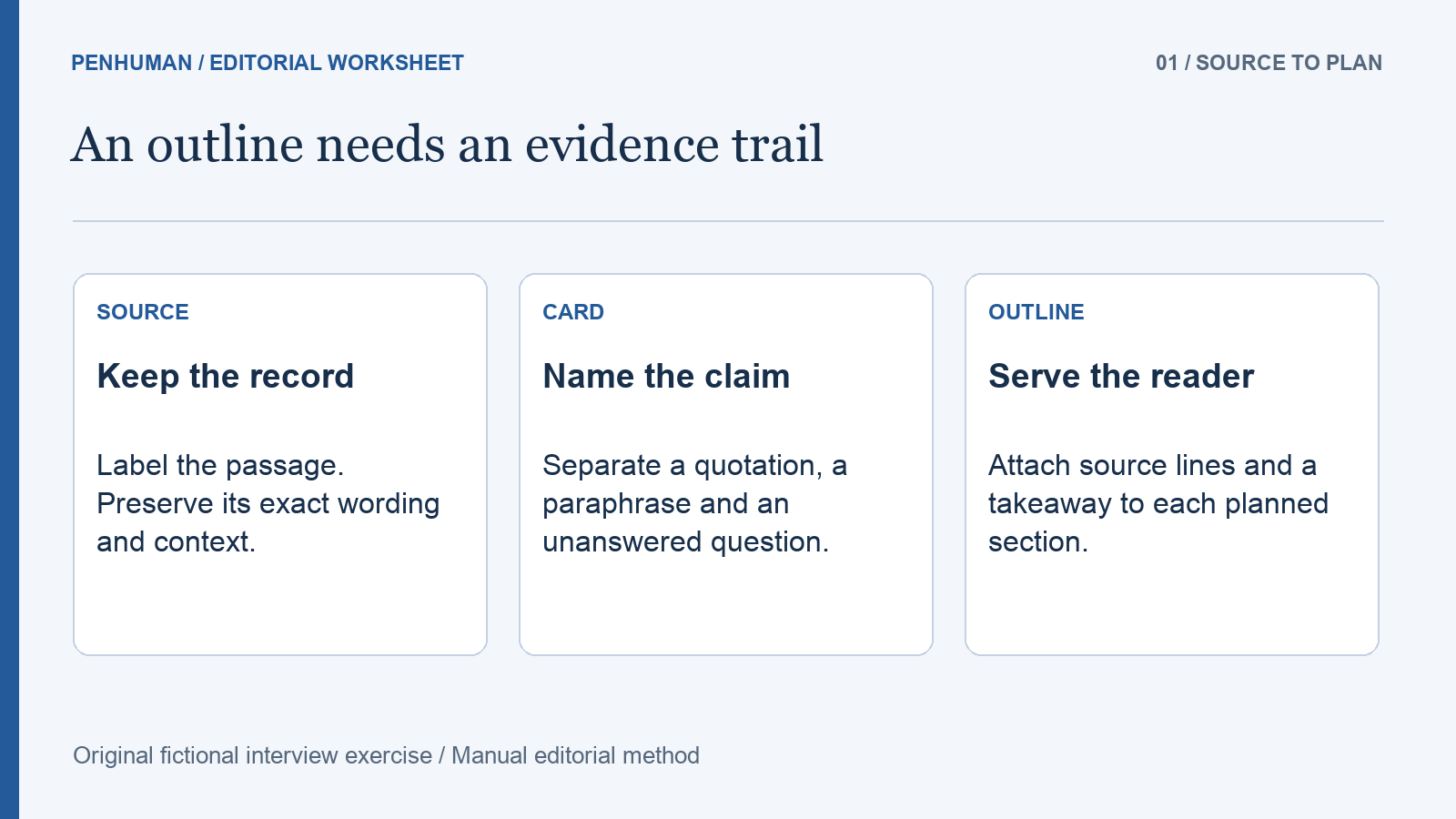
Create a working record containing the question, option, plan, source location, supporting statement and date checked. A public-facing table can be shorter, but its editor needs a route back to the evidence. In a real comparison, link to the relevant current product documentation and identify the passage that supports the cell. Record a version or platform when it changes the answer. Do not borrow a limit from a different plan simply because it fills an inconvenient gap. A general marketing headline may also not establish the specific operation the row asks about.
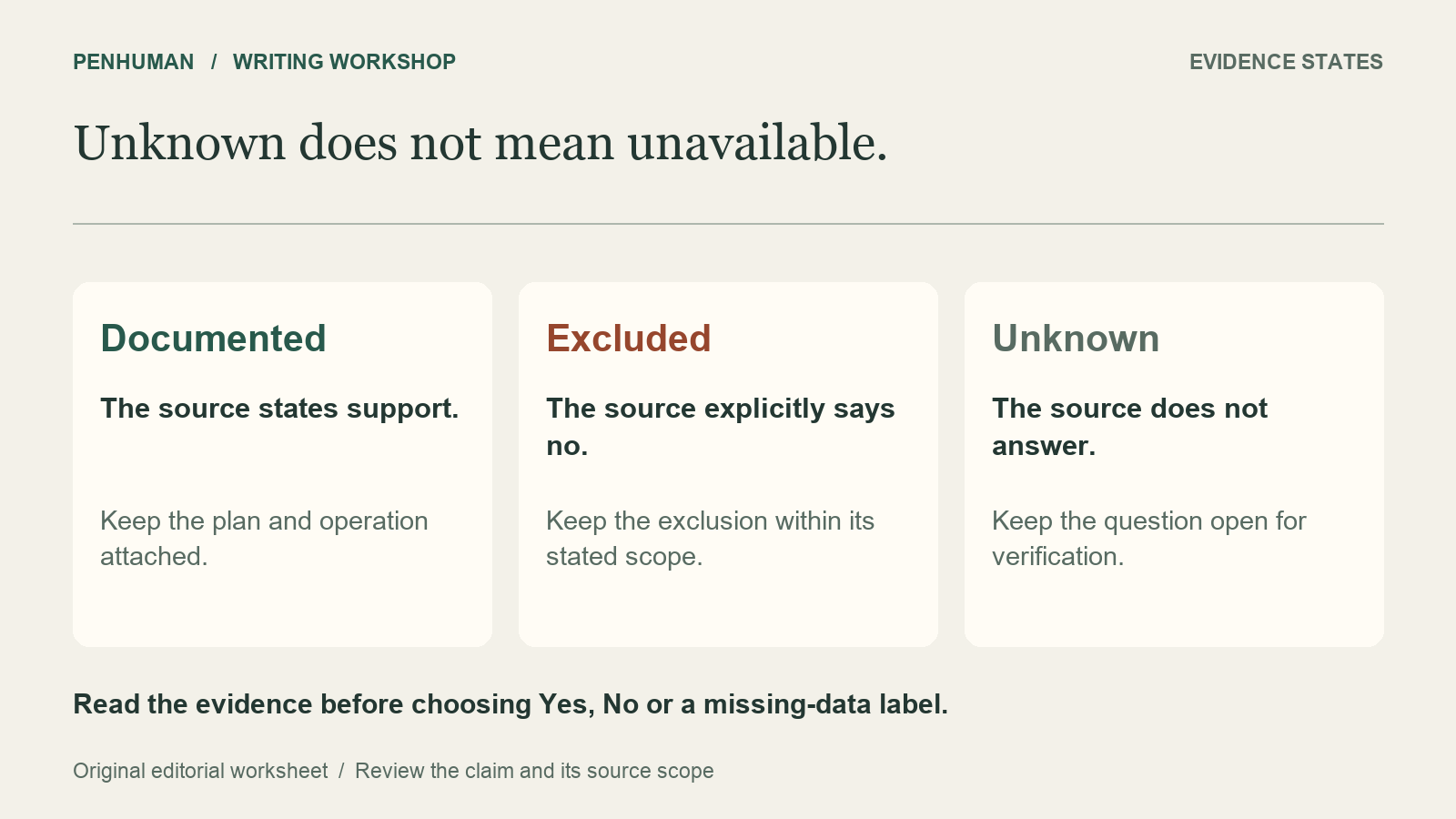
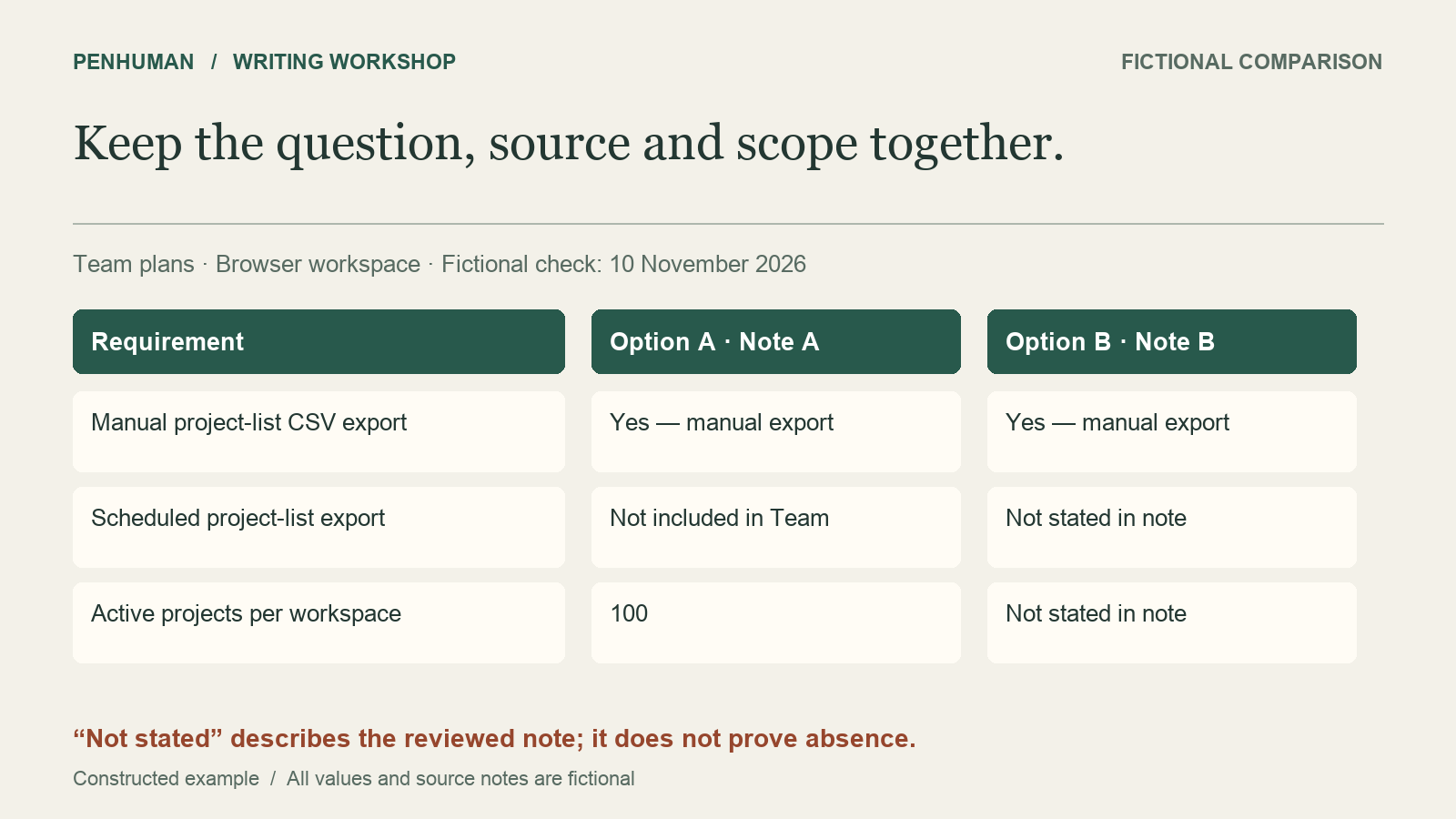
The first row asks about manual CSV export of the project list in the browser workspace on Team. Both notes support Yes within that scope. The second row asks about scheduled export of that same list. Note A explicitly excludes it from Team; Note B does not answer. The third row asks for active projects per workspace. Note A supports 100, while Note B leaves the limit unknown. Attach the checked date to the record and each source to the cell it supports, rather than treating one citation as proof of the entire comparison.
Explain missing evidence instead of hiding it
Explain to readers why the value is missing. For this exercise, Not stated in reviewed note means the supplied source does not answer that question. It does not mean the product lacks the feature. Not included in Team means the source explicitly excludes the feature from that named plan. Not applicable belongs only where the question genuinely does not apply. A blank, dash or unexplained N/A can hide these different states and leave readers guessing which meaning the editor intended.
The Office for National Statistics guidance on datasets asks authors to explain missing data when there are different reasons for empty cells. It also warns that NA can be read as either not applicable or not available. That guidance concerns statistical datasets; this article applies the same clarity principle to a fictional product comparison. Write the relevant reason next to the value. If the source could not be opened, record that access limitation instead of saying the feature was not documented. An unchecked answer leaves a research gap, not a completed feature assessment.
Work through the three rows before writing a verdict
The corrected manual-export row reads: Option A, Yes — manual CSV export; Option B, Yes — manual CSV export. The scheduled-export row reads: Option A, Not included in Team; Option B, Not stated in reviewed note. The active-project-limit row reads: Option A, 100 per workspace; Option B, Not stated in reviewed note. The record gives Team and the browser workspace as the shared scope, with 10 November 2026 as the fictional check date. Each value can be traced back to Note A or Note B. No blank has been converted into a negative claim or a limitless allowance.
Now consider what the comparison lets the reader decide. Both notes establish manual export. The stated plan for Option A excludes scheduled export. Option B remains unresolved on scheduling, so the next useful question is whether its Team plan supports that operation and under which conditions. If scheduled export is essential, the notes do not yet establish a suitable choice. The 100-project limit is relevant to a team expecting more active projects, but an unknown limit for Option B is not evidence of greater capacity. Leave the unresolved requirement visible instead of naming a winner from an incomplete row.
Make the table readable beyond its visual layout
Write specific row labels and concise column headings. Google’s documentation style guide recommends introducing a table with a complete sentence that explains its purpose. A useful introduction here identifies the two fictional Team plans, the browser workspace and the check date. Put a necessary qualification in the cell or in a clearly connected note. If the row says only Export, it hides the distinction between a manual download and a scheduled operation. Rewrite that label before shortening the cell text; the reader should not need to infer what a check mark stands for.
For an HTML table, W3C’s table tutorial explains that header and data cells need structural markup and appropriate associations so assistive technology can provide context. Color and visual alignment by themselves do not establish those relationships. Use actual table headers in your publishing system, and test the result when the format changes. If a wide table becomes unreadable on a small screen, reduce its scope or split it into clearly labeled sections. The diagrams in this guide illustrate the review; their facts are also stated in the surrounding prose, so the images are not the only way to obtain the example values.
Keep unknowns intact when rewriting the summary
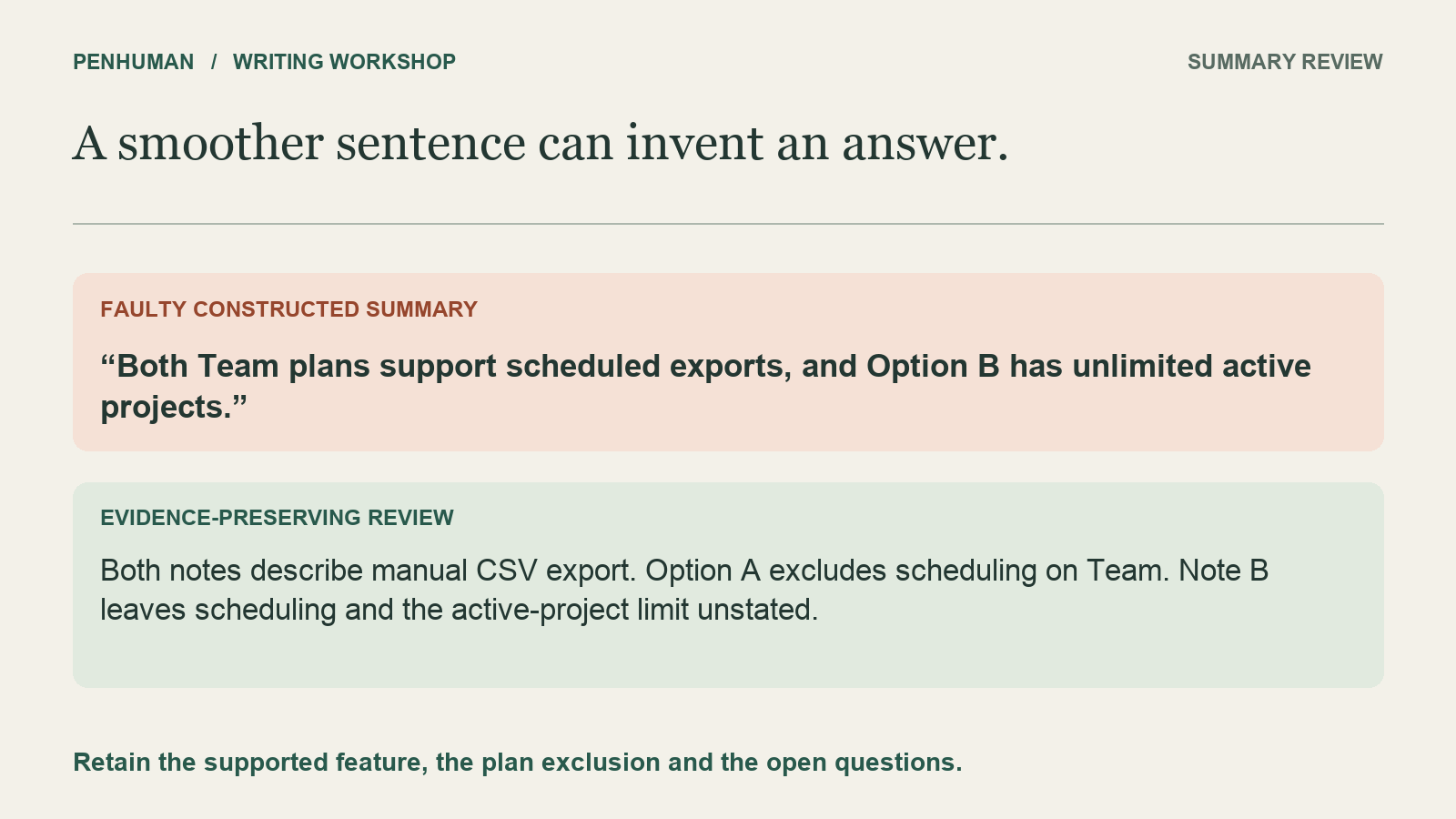
Read this deliberately faulty summary: "Both Team plans support scheduled exports, and Option B has unlimited active projects." Neither claim follows from the notes. Option A explicitly excludes scheduling on Team, while Note B is silent about scheduling and the project limit. A useful manual repair is: "Both notes describe manual CSV export on Team. Scheduled exports are not included in Option A’s Team plan. Note B does not state whether Option B supports scheduling or what its active-project limit is." These examples are constructed editorial exercises, not recorded product results.
Check the repaired paragraph against the rows one claim at a time. It preserves the shared supported feature, the explicit plan exclusion and both open questions. It does not replace uncertainty with the smoother phrase flexible capacity. Store the rough summary, evidence record and reviewed copy separately so another editor can reconstruct the change. The glossary guide helps when feature names drift across a draft, while the rewrite-review worksheet offers a separate check for numbers, negatives and conditions. Neither check replaces looking up the underlying product evidence; consistent wording can still describe an unsupported claim.
Refresh the evidence and review an eligible draft
Give unresolved cells an owner and record the next source to check. If a later authoritative note answers the scheduling question, update that cell, its source and checked date, then revisit any summary that depended on it. Keep the earlier record when it explains an earlier published version. A new date on the page is not proof that every row was rechecked. If two sources conflict, retain the conflict and investigate the plan, platform, version and dates before selecting an answer. Do not silently select the statement that makes the preferred option look stronger.
When editing prose with the AI Humanizer, place the verified record beside the original and compare the resulting candidate against it. This is a manual research and review workflow, not an automatic fact-checking feature. Basic accepts a complete draft of 80–600 words within your remaining allowance; its included 3,900 Humanizer characters have no scheduled reset. Treat the short cells in this guide as manual examples rather than padding them into an input. A successful rewrite uses the applicable allowance and still needs review. Keep the original when the new wording adds no useful clarity or changes what the evidence establishes.
Frequently Asked Questions
Should an unknown feature receive a cross or a No?
Choose a precise missing-evidence label unless a checked source establishes the negative within the relevant scope. In this exercise, Option A receives Not included in Team for scheduled export because Note A explicitly says so. Option B receives Not stated in reviewed note because Note B is silent. Marking both options with a cross would erase that distinction. If the unknown requirement matters to the decision, identify the question that still needs an answer rather than treating the comparison as finished.
What if the documentation page is unavailable?
Note that the source could not be checked, and preserve the previous evidence separately with its original date. A failed page load does not establish that a feature disappeared or that the documentation never discussed it. Try an appropriate current official source or ask the responsible owner to clarify the point. Until the answer is verified, explain the limitation where the reader needs it. Do not advance the checked date of an old claim merely because a new attempt to open its source was made.
Can the table still help if some cells remain unknown?
Yes, when it clearly distinguishes established requirements from those needing more research. The fictional notes confirm manual export for both options and rule out scheduled export on Option A’s Team plan. They leave Option B’s scheduling and capacity unresolved. That supports a useful follow-up, but not a recommendation for a scheduling-dependent workflow. Keep required features separate from optional preferences, and state the unresolved requirement alongside any provisional conclusion so the reader understands its limits.