Write Error Messages That Give a Safe Next Step
Start error messages with the state you actually know
Useful error messages help readers decide what to do next without guessing what happened to their work. Friendly wording is not enough if the message blames the wrong input, promises that a request was saved, or sends someone back through an action that might already have succeeded. This guide uses an original fictional workshop-request form to separate those situations. The examples are manual writing exercises, not screenshots, observed customer incidents or raw PenHuman output. Start with a concise record of the application state, then choose wording that stays inside the evidence.
The GOV.UK Design System’s error-message guidance covers validation problems that a person can correct in their input. It recommends explaining the problem and the correction, using the field’s own language, and retaining entered answers. It separates those problems from service failures that the person cannot fix by changing a field. That distinction provides a useful first question for an editor: is the problem with this answer, or with the service handling it? Do not turn an uncertain connection result into a definite instruction to rewrite information that may already be correct.
Write a source record before drafting the message
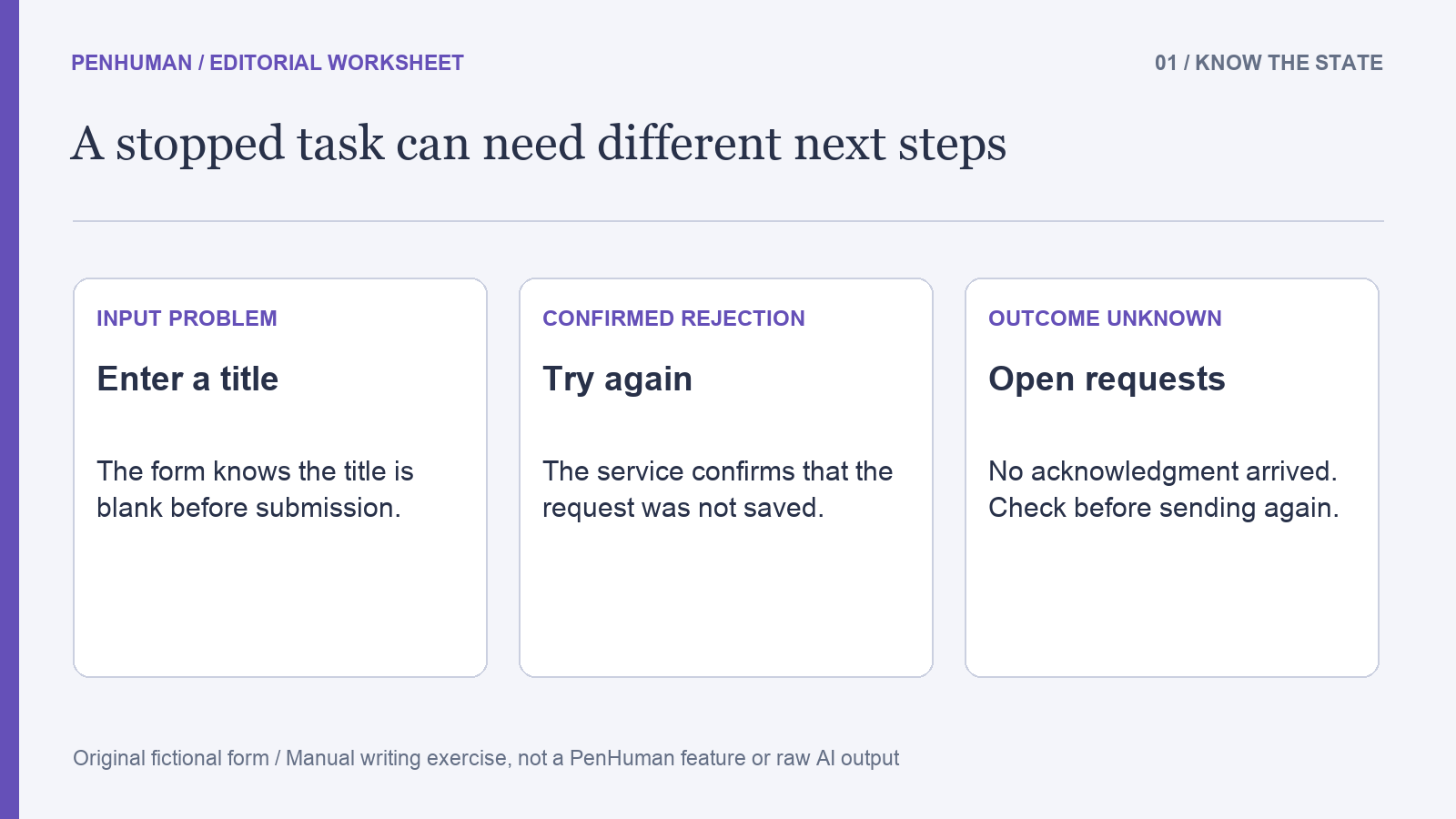
Our fictional form has an Event title field, an attached poster and a Send request button. A blank title is detected before submission, and the entered fields remain on the page. In the separate service-failure case, the system confirms that it did not store the request, keeps the form visible and supports a Try again action. The connection-loss case is different: no acknowledgment arrives, so the form does not know whether storage succeeded. An Open requests link leads to a list of accepted requests where the person can check before submitting another copy.
These are invented behavior contracts for the worksheet. They do not describe PenHuman’s interface or establish that a real service has implemented any of these protections. Record a separate line for the trigger, known result, retained information and supported next action in each case. Keep unknown facts visibly unknown. The brief specifies no repair time, automatic resubmission, email confirmation or permanent local backup. Adding any of those details to make the message reassuring would change the contract. Ask the responsible product owner to verify a missing behavior before the wording depends on it.
Make a correctable field problem specific
For the blank field, an early draft says, "Something went wrong. Try again." That does not identify the missing title, and repeating the submission without an edit leaves the same problem. A clearer manual revision is, "Enter an event title." It names the field and the action that resolves this particular validation condition. The form still needs to associate the message with Event title in its actual presentation. W3C’s explanation of Error Suggestion calls for known correction suggestions for automatically detected input errors, subject to its security and purpose exception.
Compare the sentence with the exact trigger instead of using it for every failure on the page. A title that is too long, a missing attachment and a service rejection are different situations. They need their own verified facts and supported instructions. Our brief defines only the blank-title case, so this guide invents no maximum title length or attachment format rule. Likewise, replacing the wording with "Enter a valid title" would leave the reader to discover what valid means. Use the known correction over an unexplained quality judgment about the person’s answer.
Separate confirmed failure from an unknown outcome
In the confirmed service-failure case, the source establishes that the request was not stored and the form still contains the entered information. A manual candidate is, "Your request was not saved. Your entries are still on this page. Try again." Every sentence relies on a different verified fact: the storage result, the visible retained work and the supported action. If the real implementation cannot establish any of those facts, remove or revise the corresponding sentence. A reassuring statement about saved work is a product claim even when it appears inside a short message.
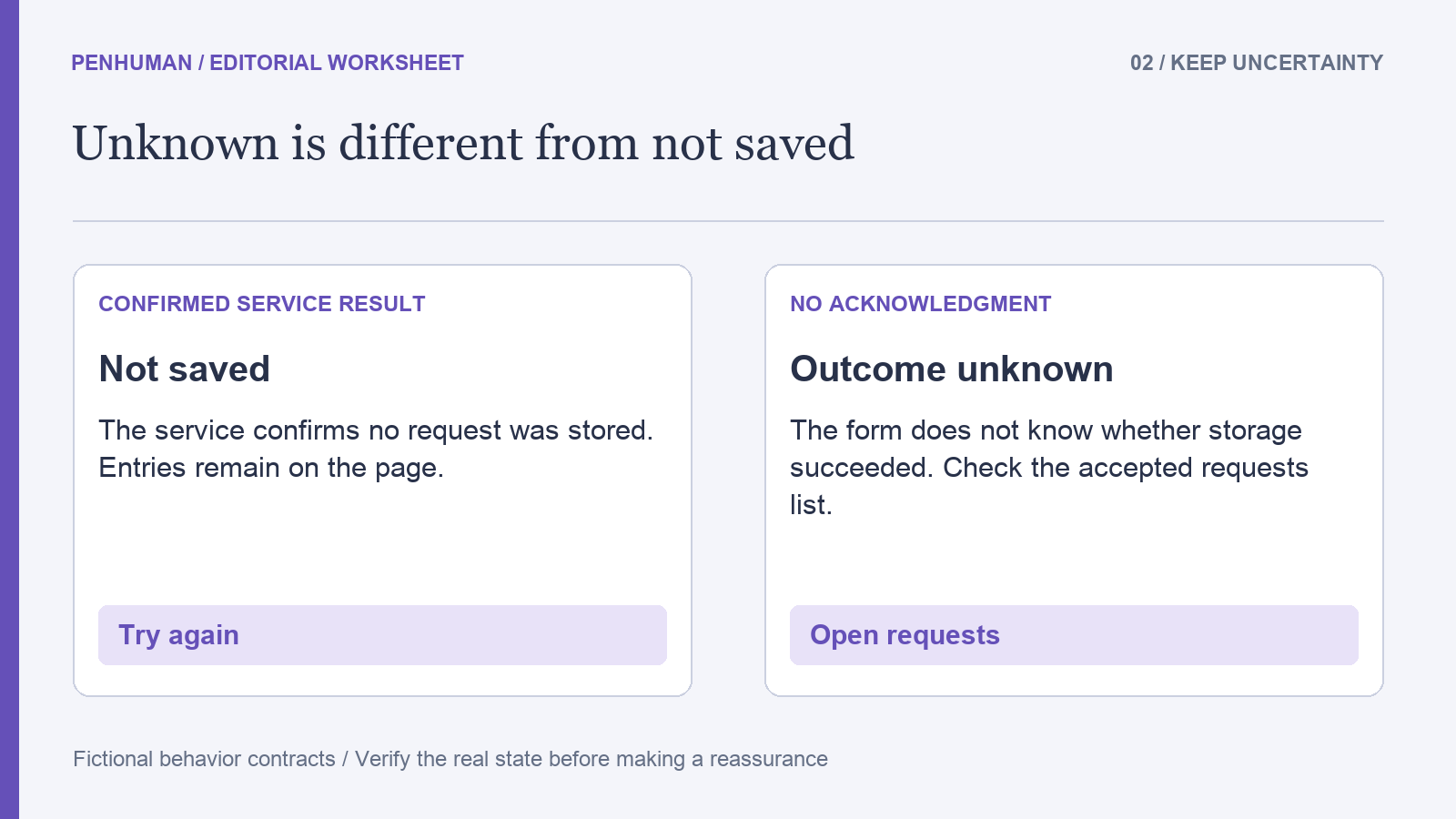
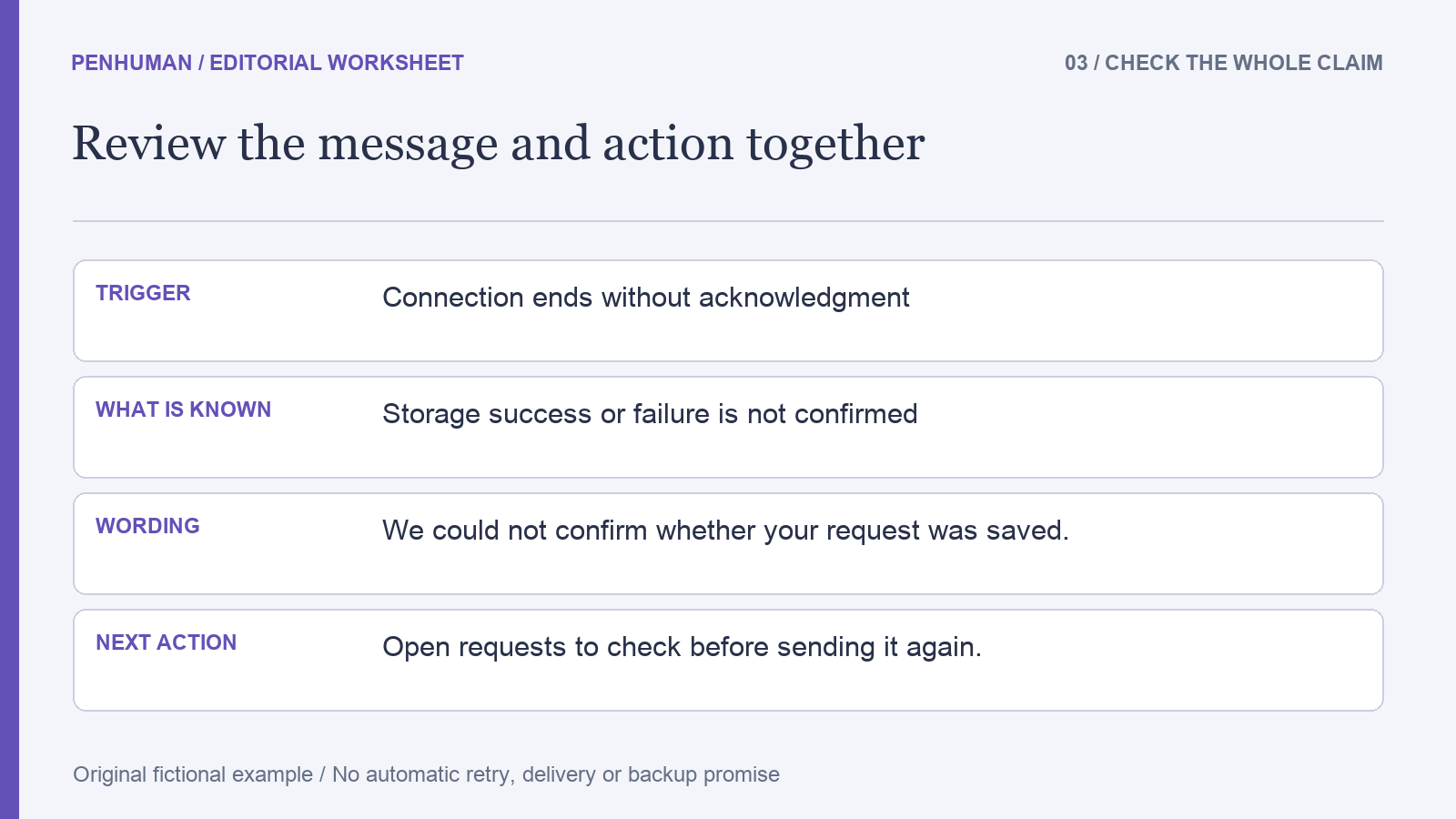
For the connection-loss case, that same wording would be unsafe because the storage outcome is unknown. Use the narrower statement, "We could not confirm whether your request was saved. Open requests to check before sending it again." This states the uncertainty and the verified checking route. It does not say that the request failed, succeeded or will automatically retry. The distinction matters even when both cases look like a stopped spinner. Preserve it in every rewrite, and confirm that the named link really opens the relevant list rather than an unrelated help page.
Match the next action to the available control
Check the message and its adjacent controls together. In the fictional confirmed-failure state, Try again is an available action, while the uncertain state offers Open requests. A sentence that says to check existing requests becomes less useful if the only visible control repeats the submission. This worksheet does not prescribe a particular layout or component library. It asks a reviewer to trace the stated action through the actual interface. The name, destination and behavior need to agree before a short piece of copy can be considered ready for that state.
Keep a small wording table while reviewing: state, message, control label, destination and evidence owner. Keep the label exact when the instruction refers to a visible control. The glossary guide offers a separate method for retaining agreed names across drafts. Avoid giving Open requests a new synonym such as Request history in the message when the screen still uses the original label. That mismatch can leave a reader searching for a control that is not present. Check the current screen rather than assuming that an older design file still matches the application.
Test the wording against neighboring states
Work through a concrete case for each row before approving the copy. Leave Event title blank and ask what the message tells the person to change. Use the invented confirmed-rejection state and check whether the retained fields support the reassurance. Use the uncertain-outcome state and check whether the next action avoids asserting success or failure. These are proposed review scenarios, not completed user research or a measured reduction in errors. Record any contradictions between the source, wording and interface; resolve the behavior or the copy before treating the message as finished.
Read the wording in the context where it appears, including the field label, heading and destination page. A message can be concise by itself yet confusing beside a control with a different name. Clear words also do not establish accessible implementation, useful focus behavior or reliable persistence. Those need suitable checks of the actual product. If a team changes storage handling or removes the checking route, revisit the copy with that change. Retaining an old promise about unsaved or preserved work after a behavior change creates a new factual problem.
Use editing tools for candidates, then verify the claim
The Word Counter can help compare the lengths of candidates when a real interface has a documented space constraint. It cannot tell whether a request was stored or whether a retry is appropriate. Keep the trigger and outcome record beside the candidate, then check each promise about saved work, available controls and timing. The numbers, negations and conditions worksheet provides a related source-comparison exercise. Do not choose the shortest message simply because it fits; remove unnecessary setup while retaining the distinction that determines the reader’s next action.
If you use the AI Humanizer on an eligible longer explanation, compare its candidate with the same behavior record before publishing. Basic accepts complete drafts of 80–600 words within the available allowance, with 3,900 included Humanizer characters and no scheduled reset. The short interface messages in this guide are for manual editing; do not pad them to reach a minimum. A fluent candidate can still add a promise or remove uncertainty. PenHuman does not verify the application state in this workflow, and these examples make no automatic error-diagnosis or accessibility-certification claim.
Frequently Asked Questions
Should every failed submission say try again?
No. Select the action from the result the system can establish and the recovery route it actually supports. In this fictional exercise, a confirmed rejection has a Try again action, while a missing acknowledgment leaves the storage outcome unknown and points to Open requests first. Those are different contracts, not alternative tones for the same message. If the source does not establish whether retrying could create a duplicate, retain that uncertainty in the review and ask the responsible owner to define the safe path before publishing an instruction.
Can a friendly message say that the draft is safe?
Make only a preservation claim that the implementation and the relevant state support. The fictional brief says entered fields remain on the current page; it does not promise permanent backup, persistence after closing the browser or delivery to another device. Saying that everything is safe would expand that limited fact. Describe the known behavior specifically, and verify it where the message appears. Warmth can come from clear, respectful wording without adding a guarantee that the product has not established.
How do I review an AI rewrite of an error explanation?
Check each statement against the source record before judging fluency. Check what failed, whether the result is known, what information remains available and which next action is supported. Restore any missing uncertainty or changed control label, and remove invented waiting times or automatic-recovery claims. Then read the candidate beside its real interface controls. This process produces an editorial decision, not proof that the underlying service is reliable. Keep the original, candidate and corrections so a later behavior change has a clear reference for review.